
For any beginner WordPress website developer, choosing between Elementor Free and Pro should be an easy task, but it is not. While the essential features are free, you will need to spend at least $5 per month to unlock advanced features with Elementor Pro to fully use the potential of the software.
This article compares Elementor Pro vs Free based on my own experience using both versions. My goal here is to help you understand the key differences and decide which version suits your needs, especially if you need to know if investing in a subscription is worth it.
Elementor Pro vs Free: Quick Comparison Guide (2026)
Here is a quick comparison of the Elementor Pro version and the Elementor Free version, which lets you compare the prime differences between the two side-by-side.
| Features | Elementor Free | Elementor Pro |
|---|---|---|
| Hello Theme | ✔️ | ✔️ |
| Widgets | 32 (Free) | Up to 86 (Pro) |
| Drag and Drop Feature | ✔️ | ✔️ |
| Premium Support | ❌ | ✔️ |
| Theme Elements | ❌ | ✔️ |
| Mobile Responsiveness | ✔️ | ✔️ |
| Sticky Header | ❌ | ✔️ |
| Landing Page Builder | ✔️ | ✔️ |
| Dynamic Widgets | ❌ | ✔️ |
| Pro Blocks & Templates | ❌ | ✔️ |
| Basic Widgets | ❌ | ✔️ |
| WooCommerce Widgets | ❌ | ✔️ |
| Custom CSS | ❌ | ✔️ |
| Social Media Integration | ❌ | ✔️ |
| Marketing Widgets | ❌ | ✔️ |
| Scrolling Effects | ❌ | ✔️ |
| Slide & Carousel | ❌ | ✔️ |
| Animated Headlines | ❌ | ✔️ |
Elementor Free Plan: Features & Limitations
Elementor’s free version is quite impressive and offers robust features. Elementor offers a visual drag-and-drop builder to design beautiful websites in no time. The free version grants access to various page templates and blocks. In addition, you also get 30 pre-built elements to make your work easier and quicker.
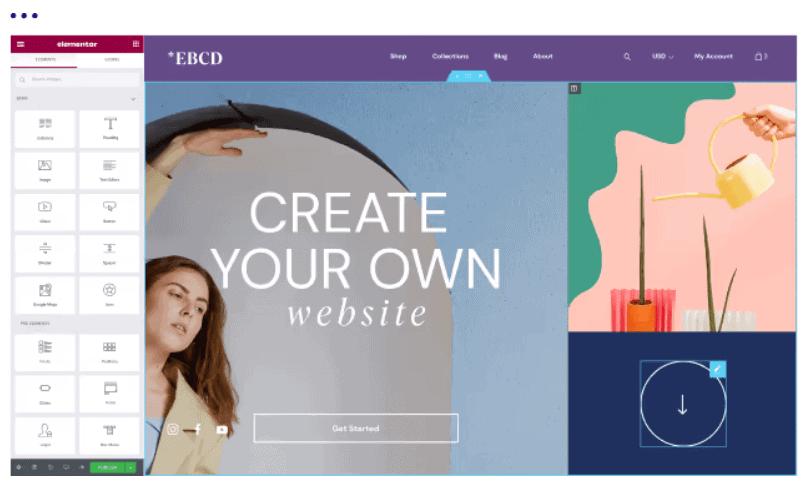
Furthermore, Elementor’s free version allows you to create attractive layouts for multiple pages, including multiple-column layouts. What makes the free version better is that you can create cohesive designs. This means if you want your blog and another website to have a similar design, you can do it without paying a single dollar from your pocket.
If you create a website design and want to use it on another website, you can save the design to use later. Additionally, the free version is 100% responsive, meaning your design will look equally good on every device.
The Elementor Free version, however, has its limitations too. These start with the unavailability of widgets, pro templates, custom fonts, sliders, carousels, and custom CSS, to name a few.
Elementor Pro: Standout Key Features
While the free version offers a lot on the table, Elementor Pro enhances the functionality and gives you a complete package to take your website to the next level. Some of the critical features of Elementor Pro include:
- Extra widgets: While Elementor’s free version gives you enough widgets, the pro version adds more widgets. In addition, there are plenty of WooCommerce widget additions.
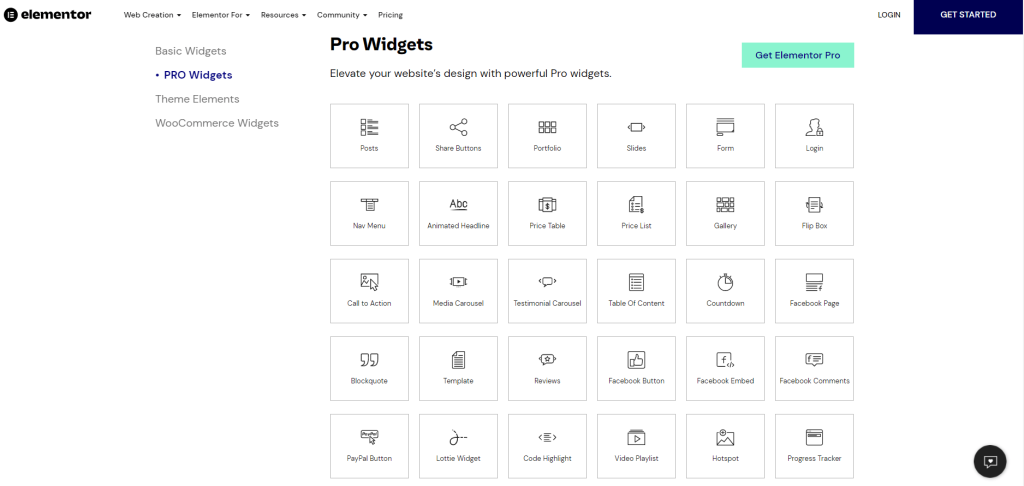
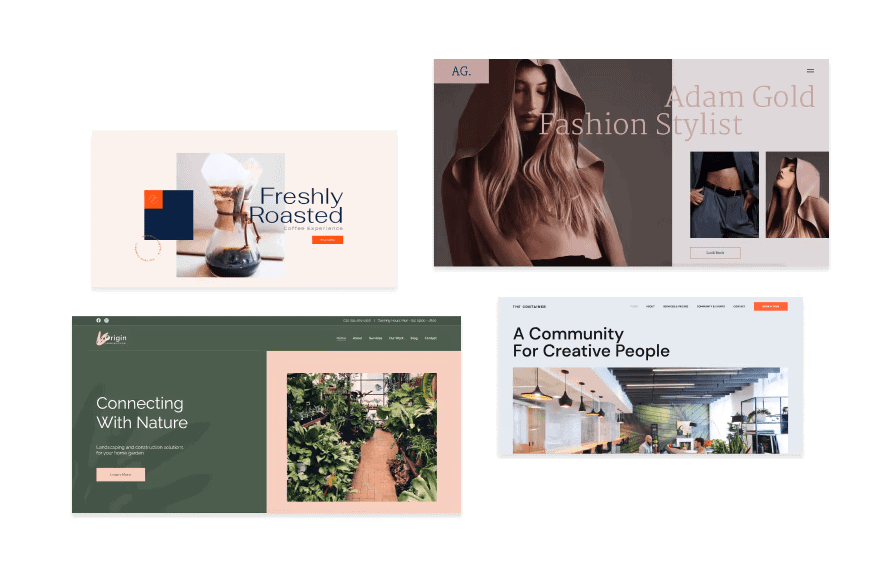
- Unlock the complete library of templates: If you have used the free version, you already know that Elementor’s extensive library of beautiful templates contains various restricted templates. However, you can unlock the complete library with the pro version.
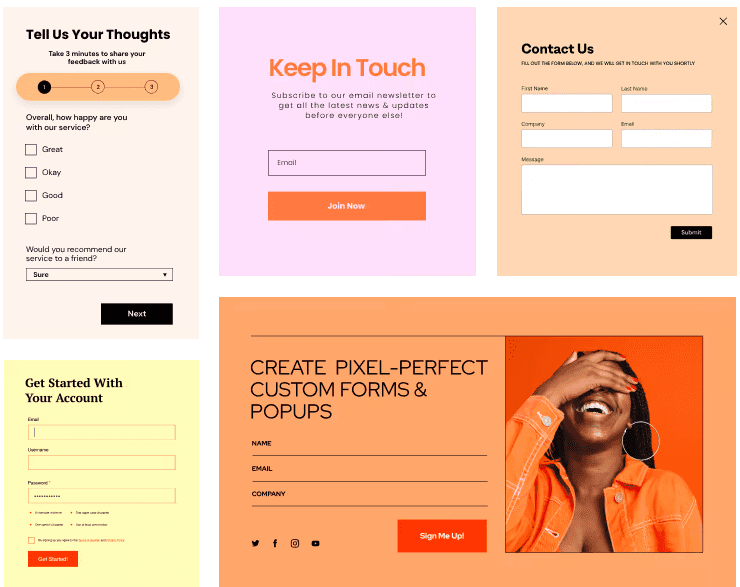
- Visual form builder: Elementor Pro eliminates the need for additional plugins. The visual form builder allows you to create stunning forms to boost your leads.
- Enhanced customization: With Elementor Pro, you can take customization to the next level. It offers customization to every part of your website without writing a single coding line. If you have a shopping site, you can easily customize your store’s layout through the WooCommerce builder.
Additional features of Elementor Pro include premium support and updates, additional design features, extensive marketing tools, theme building, and eCommerce features. Additionally, it offers plenty of integrations with various social media platforms.
Bonus: Get to know more about Elementor with our detailed review here.
Elementor Pro Pricing
Elementor Pro offers four different plans. The basic plan, Essential, starts at $5/month. Other plans include:
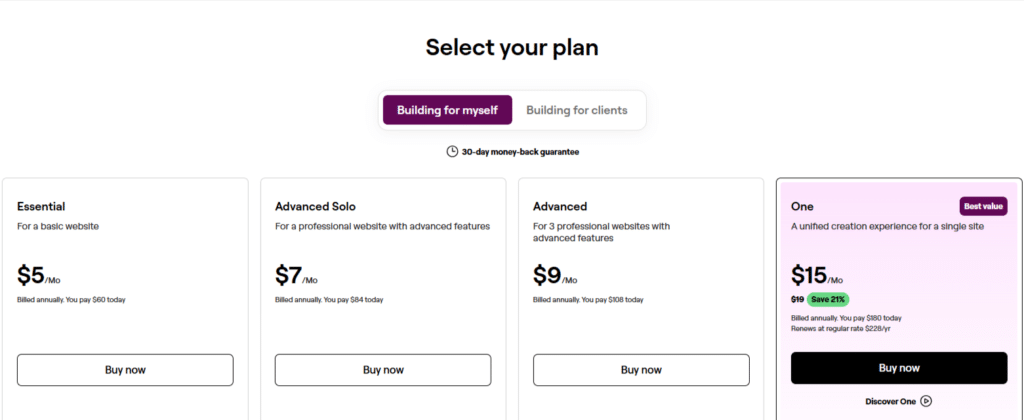
There are two tiers for users: individual and clients. Individual users can choose from “Building for Myself” if they are working on their own projects. If you are working for clients, consider choosing plans from “Building for Clients”, starting from $17/month.
Note: Rollover to check our working Elementor discount codes here.
Elementor Hosting Plans
Elementor has replaced the Elementor Cloud Website with new WordPress hosting plans that are great for those who want an all-in-one solution that includes all the features of Elementor Pro and managed WordPress hosting.
The plans start from $8.99/month. Here is a quick overview of all the pricing options:

Which One Is Right For You?
Now that you know what each plan offers, one of the critical questions is: Should I upgrade to premium? While the free version offers a lot more, it is sufficient for beginners with a tight budget.
If you need a visual builder to create visually compelling layouts without additional customization support, you will be happy with the free version.
However, if you need more design control and options to create truly unique content for your website, upgrading to premium is in your best interest.
Additionally, the premium version is best for developers and users who want to customize every aspect of their website, create their own theme, and need robust functionalities to boost their website; the premium version is the best pick.
Verdict: Upgrade to Elementor Pro for More Advanced Features & Widgets
Elementor is one of the most powerful and popular WordPress page builders that offers exceptional features and capabilities. For users who want to level up their design game, Elementor Pro is surely worth paying the price for.
Depending on your choice and needs, you may pick the one that best suits your requirements and the kind of website you want to build. To sum up, Elementor Pro is the best option if you want to use Elementor to its full potential, especially if compared to the Elementor free plan.
We hope our comparison of Elementor Pro vs free helped decide which version is right for you. Over to you, which version are you picking? Let us know in the comments section below.
FAQs On Elementor Pro vs Free
In the Elementor free version, you get access to limited features and a limited number of widgets & templates. The Elementor Pro version gives you complete access to everything Elementor offers.
Yes, you can use Elementor’s Theme Builder in the free and Pro versions. The only difference is that the free version is restricted to the WordPress theme you choose, whereas on Elementor Pro, you can customize any theme.
No, customer support is not available in the Elementor free version. To receive 24/7 premium customer support, you need to upgrade to an Elementor Pro plan.
Yes, Elementor is fully compatible with WordPress, so you can install any WordPress Theme you want on your website and make changes to it using the Elementor Theme Builder.
Elementor Cloud Website is the newest addition to Elementor plans, which offers everything from Elementor Pro, along with all the hosting features. So, in my opinion, if you want to create just one website, then Elementor Cloud is a much cheaper and better option.
