
AI workflow automation tools can be a savior to streamline tasks and save time. Around 40% of companies actively use AI in their operations globally.
After analyzing more than 17 AI workflow automation tools, we have shortlisted only the reliable ai workflow automations tools. From freelancers and individual entrepreneurs to small and large companies, all can utilize these AI tools to automate repetitive work and enhance the speed of tasks.
Further in the article, we discuss the top 11 AI workflow automation tools in detail, so you can decide which one is best to reduce your manual work and save time.
11 Best AI Workflow Automation Tools (Free & Paid)
Among the top AI workflow automation tools, Zapier, n8n, and Microsoft Power Automate are excellent starting points. All these tools offer a free plan, allowing you to check the features first and then decide whether to upgrade.
Each tool in this list offers a permanent free tier; however, please note that the premium features are locked behind a subscription plan only.
Take a look over the 11 best AI workflow automation tools highlighted in the table below;
| AI Workflow Automation Tools | Free Plan | Starting Price (On Yearly Payment) | Used For |
|---|---|---|---|
| Zapier | Yes | $19.99/month | Simple workflow automation across 8,000+ apps |
| n8n | 14-day free trial | €20/ month (cloud) | Technical workflow automation with code flexibility |
| Microsoft Power Automate | Yes (limited) | $15/user/month | Microsoft ecosystem workflow automation |
| Lindy.ai | Yes | $49.99/month | AI-native agents and workflow automation |
| Make | Yes | $9/month | Visual workflow automation and integrations |
| Relay.app | Yes | $19/month | Modern automation with AI and human-in-the-loop |
| UiPath | Yes (Community) | $25/ month | Robotic Process Automation (RPA) and document processing |
| Workato | Yes (Demo) | Custom | Enterprise-grade iPaaS and business process automation |
| Gumloop | Yes | $30/month | No-code AI-powered business automations |
| IFTTT | Yes | $2.99/month | Simple trigger-based automation for personal/small business use |
| Relevance AI | Yes | $19/month | Custom AI agents for complex multi-step workflows |
Here are the 11 tools explained below that help millions of people daily automate their work tasks.
1. Zapier
| Price Range (Annual Billing) | 19.99/mo – 69/mo |
| Tools | 300+ AI Tools to nearly 8,000 apps |
| Get Hands On | AI Workflows, AI Agents, AI Chatbots, Canvas |
| Best For | Teams (technical & non-technical skills), small to medium-sized businesses, and Startups |
| Website | Zapier |
Over 3.4 million innovators are already using Zapier and have streamlined their workflow with this AI automation tool. As per an industry review on the platform, it saves more than 282 days of manual work from nearly 300 work days each year.
Overview
Zapier is the most connected AI orchestration platform. This tool offers multiple products, resources, and solutions that help solopreneurs and businesses.
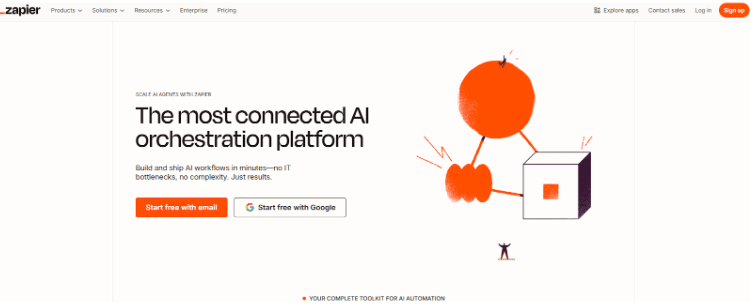
You don’t need any technical skills or coding to handle the operations on Zapier. It easily connects across 8000+ apps with the Zapier agents, which helps you understand your business and then work for you.
Key Features
- From single to unlimited users, Zapier can be installed and used to scale AI-powered automation processes.
- Zapier AI products are available on all the plans, such as agents, chatbots, canvas, and MCP.
- A visual no-code editor that means automating the workflow without writing any code.
- Integrate with unlimited apps on Zapier.
- Email and live chat support are available in the paid Zapier plans.
Zapier Pros and Cons
Here are the benefits and drawbacks of Zapier;
Zapier Pros
- Zapier is a no-code integration system that allows you to access thousands of apps without prior coding skills.
- It has a user-friendly interface.
- The resources and AI products save time on manual work.
- Zapier creates zaps that perform multiple tasks in a single trigger.
- The tool also includes built-in testing features so that you can ensure the AI automation apps are running smoothly.
Zapier Cons
- The Zapier free plan consists of limited features.
- Advanced features requires a paid subscription.
- The platform does not have a dedicated mobile app.
- Beginners might find it challenging to navigate with too many integrations.
2. N8n
| Price Range (Annual Billing) | €20/ month – €50/ month (Cloud Plans) |
| Tools | 500 to 1000+ AI Tools |
| Get Hands On | Concurrent Executions, use of Git, and developer tools |
| Best For | Technical Teams, Developers |
| Website | N8n |
N8n is a cost-effective platform where you only pay for full workflow executions. No charges are required for each operation, step, or task. This way, n8n has acquired its presence across 200K+ communities.
Overview
N8n is an open-source low-code AI workflow automation platform. It is also a self-hostable AI workflow builder. Technical sound people can easily automate this platform with coding, as they require the system to work for them and the business.

If you are the one, then you can customize with JavaScript or Python code at any step to take control of the system for streamlining the tasks as per your requirement.
Key Features
- Start with a 14-day free trial available on Cloud plans.
- It has 1000+ integrations, including pre-built apps.
- N8n can quickly connect to any API with generic connectors such as HTTP, GraphQL, etc.
- You can customize the applications as it is self-hosted on the Business and Enterprise plans.
- Access their friendly forum on Starter, Pro, and Business plans.
N8n Pros and Cons
The best part is that you can try the advanced features for a 14-day free trial on any of the paid plans, but after that, the subscription fee will be deducted from your account.
N8n Pros
- n8n allows the self-host to take control over the data and system in advanced plans.
- You can build customizable workflows with JavaScript or Python code.
- Try the drag-and-drop interface, which is mostly helpful for non-technical users.
- Take advantage of advanced error-handling features.
- You can build multi-step agents on a single screen with custom AI tools.
N8n Cons
- No permanent free plan available.
- Users with non-technical backgrounds might find the n8n dashboard slightly complex.
- It has a limited library of pre-built integration tools compared to Zapier.
3. Microsoft Power Automate
| Price Range (Annual Billing) | $15 user/ month to $215 bot/ month/ year |
| Tools | Connected over 1,400 services |
| Get Hands On | AI authoring, AI insights, AI processing, AI generation features |
| Best For | Businesses and Developers |
| Website | Microsoft Power Automate |
Microsoft Power Platform has over 33 million monthly active users. This Power Automate optimizes the process with 360° monitoring. You can also scale your organization with built-in security and governance.
Overview
Microsoft Power Automate, previously known as Microsoft Flow, helps your organization automate repetitive tasks. It is a cloud-based workflow platform that offers various applications and services to streamline workflow.
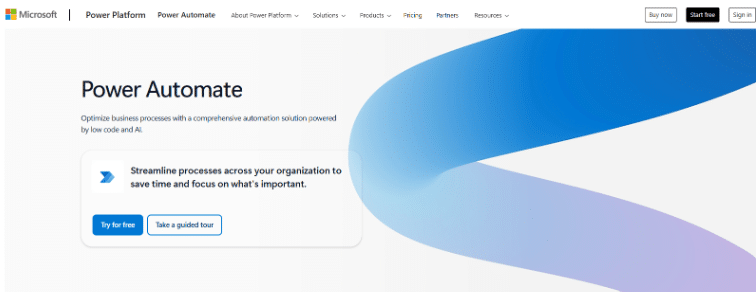
It is an automation solution powered by low code and AI. With its orchestration, you can easily manage tasks and process mining. You can get hands-on experience with UI-based cloud flows and desktop flows.
Key Features
- Get a 30-day trial of Microsoft Power Automate.
- Take advantage of the 5,000 AI Builder service credits on all the paid plans.
- It includes cloud flows and attended desktop flows for individuals or solopreneurs to process mining.
- You are flexible to enhance your paid plan with the add-ons that can boost your tasks.
- The Microsoft Copilot and other AI tools help you build and modify the automation process.
Pros and Cons
With Microsoft Power Automate, check the trending AI marketing tools that you can integrate into this software. Here are the pros and cons of this tool;
Microsoft Power Automate Pros
- It saves time and the efficiency of manual work.
- Microsoft Power Automate supports both low-code and no-code approaches.
- Robotic Process Automation (RPA) helps organizations automate repetitive tasks.
- Run unattended automation in a Power Automate Hosted Process plan.
- Developers have reduced almost 20% of their time by automating the workflows.
Microsoft Power Automate Cons
- The free version and the 30-day free trial have limited access.
- With multiple services installed on the platform, it can slow down the system.
- Some new users may find the Microsoft Power Automate dashboard complex.
4. Lindy.ai
| Price Range | $49.99/ month – $199.99/ month |
| Tools | 4000+ Integrations |
| Get Hands On | 200+ web scrapers, AI agents |
| Best For | Small to medium-sized businesses, Individuals |
| Website | Lindy.ai |
Lindy AI helps you create, manage, and share agents. It acts as a versatile AI assistant for entrepreneurs and businesses where these tools’ AI agents handle the complicated and recurring tasks.
Overview
Lindy AI calls itself your first AI employee. You can give prompts in Lindy AI 3.0 and build your agent in minutes. Connect Lindy to your systems for easy automation.

With the new Lindy build tool, you can build an app or website by describing the details in the prompt section. It automatically builds from code to QA. In short, Lindy AI can be your digital teammate.
Key Features
- You will get 400 to 1,50,000 (150K) credits per month. However, the price changes based on the plan type and the credit you want.
- Automate the workflow with the no-code AI agents.
- It can seamlessly perform tasks with the tools, including email clients, CRMs, and communication platforms like HubSpot, Zoom, Gmail, and Slack.
- With the agents for sales, you can find leads from over 200 sources.
- Lindy AI supports more than 50 languages worldwide.
Lindy AI Pros and Cons
Lindy AI agents are more like a human assistant, but they do lack a few things, as explained below.
Lindy AI Pros
- Best for non-technical background users.
- You can create custom AI agents to manage multiple tasks.
- AI Autopilot, a new feature, allows Lindy AI to access a virtual computer.
- Includes a meeting recorder to summarize the minutes of a meeting later.
- Lindy AI offers a free plan with 100+ integrations.
Lindy AI Cons
- You cannot perform tasks once the credits are exhausted.
- The free tier features are limited compared to the paid plan.
- The system might slow down due to too many applications.
5. Make
| Price Range (Annual Billing) | $9/ month – $29/ month |
| Tools | 400+ AI apps , 2500+ pre-built apps |
| Get Hands On | Agentic automation |
| Best For | Small Teams, Non-technical users, Startups, freelancers |
| Website | Make |
Make AI workflow automation platform currently has 350K+ customers with more than 10,000 pre-built solutions. This tool has an excellent rating, with more than 4.5 out of 5 stars on various trusted platforms, including Capterra, G2, GetApp, and Gartner.
Overview
Make is an AI-powered real-time visual platform for streamlining the process of AI agents. This enhances the power of AI and automation. As it is a no-code website, Make is helpful for startups, solopreneurs, and many others interested in signing up for this platform.
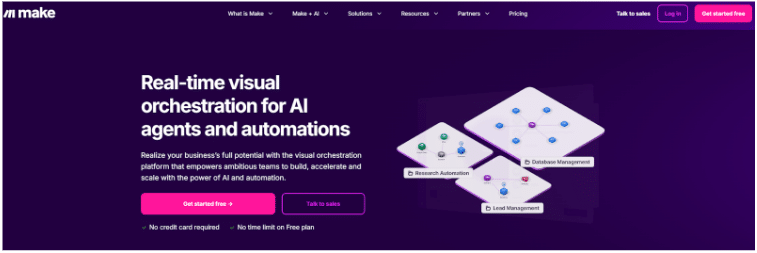
This platform can help automate various sectors, including sales, operations, marketing, finance, IT, customer service, and social media agencies. The Make + AI tools are at the ace while offering advanced AI tools.
Key Features
- Make AI workflow automation is a no-code visual workflow builder.
- The website features over 2,500 pre-built apps and 10,000+ solutions.
- This site offers a free plan with up to 1000 credits per month.
- In Make + AI, you can build and manage AI agents included in all paid plans or create your own LLM key available in Pro+.
- You can access 300+ public API endpoints for high-scale automation on the Make platform.
Make Pros and Cons
Make has its own advantages and disadvantages as described clearly in the sections below.
Make Pros
- With AI automation, Make reduces human errors.
- It is simple to filter and automate social media posts.
- You can drag and drop workflows, generate and publish content.
- For integration, refer to the top AI tools for content creation, such as Claude, ChatGPT, etc.
- Visual orchestration enables real-time control over AI and automation.
- Get credits from 1000 to 2,000,000 per month.
Make Cons
- The free plan has limited features compared to the paid plans.
- Custom JavaScript functions are inaccessible in Free, Core, Pro, and Teams plans.
- Customer support is available for 90 days in the free plan.
6. Relay.app
| Price Range (Annual Billing) | $19/ month – $69/ month |
| Tools | 100+ Integrations |
| Get Hands On | Automate multi-step workflows, use AI agents |
| Best For | Solopreneurs, small-sized businesses |
| Website | Relay.app |
Replay.app offers built-in AI actions, custom prompts, and mini AI agents, allowing you to automate more tasks with AI. It also included Agent 101, so you can sign up for the 5-day email course for free.
Overview
In the Replay app, you can build powerful AI agents and create a good digital team for scaling your business. Although it has ‘app’ in the title, letting you know that it is not a mobile app, the Replay app is a web-based platform.

You can create leads, promote social media posts, generate meeting briefings with timings, schedule follow-up meetings, and also analyze the competitors. The Replay app integrates with various AI tools and applications, but includes human checkpoints to ensure confidence when working with AI.
Key Features
- Replay app includes over 100 integrations such as Airtable, Apollo, App Store, Asana, etc.
- You can connect one app (integration tool) with multiple accounts by adding Connections for that app.
- With the human-in-the-loop access, you can review the work that the AI does. You can also choose a manual trigger to automate the work only when it’s needed.
- In the Replay app, you can summarize content, extract data, translate, browse the web, and much more by giving a custom AI prompt.
- Webhook trigger makes it easy for the Replay app to integrate with any application or service.
Replay App Pros and Cons
The Replay app offers a range of features that benefit a diverse group of users, from individuals to businesses. Here are some of the best profits you can make, along with the limitations you should know.
Replay App Pros
- User-friendly interface, perfect for non-technical users.
- Set up the workflow and build the complex AI automations.
- Real human checkpoints keep you in the loop while working on tasks.
- Create a powerful workflow (path) for iterators.
- Free plan with 500 free AI credits per month.
Replay App Cons
- Less integrations compared to the other competitors.
- The free plan comes with more limitations than other paid plans.
- Unable to share your workflow in the free and professional plans.
7. UiPath
| Price Range | $25/ month (Basic) |
| Tools | 1400+ |
| Get Hands On | RPA, API Workflows, conversational agents, etc. |
| Best For | Small to large organizations |
| Website | UiPath |
UiPath is gaining popularity among users, particularly with its Robotic Process Automation (RPA) system. The company has more than 10,820 customers, including 2,432 high-value customers who pay over $100,000 annually.
Overview
UiPath utilizes Robotic Process Automation (RPA) to integrate systems and automate workflows. The RPA mimics human actions and automates repetitive tasks digitally.

The most interesting fact is that UniPath is named as a leader in the Gartner® Magic Quadrant™ for Intelligent Document Processing (IDP). This platform aims to create an IDP future with agentic automation and an Intelligent Experience Platform (IXP).
Key Features
- UiPath is a low-code platform. It also supports no-code development.
- The platform also provides tools for managing robotic ‘bots’, deploying, and designing.
- It gives access to the visual interface called UiPath Studio to design workflows.
- There is no need for human supervision; you can run automations (AI robots) for as long as your business requires.
- Additionally, you can build mobile-friendly apps with the use of UiPath apps.
UiPath Pros and Cons
In addition to this platform, if you are interested in other creative sites, check out our handpicked & tested AI Image Generators such as Midjourney, Jasper Art, ChatGPT, etc., for enhancing creativity and boosting work speed.
Here, we will discuss the pros and cons of UniPath for better clarity.
UiPath Pros
- UniPath Automation Cloud offers a 60-day free trial.
- This platform orchestrates AI robots, agents, and people from one screen.
- From 1 to unlimited users can operate this tool.
- The basic plan operates well in the European region.
- You can secure and govern your agentic automation program.
UiPath Cons
- The purchase of an additional license is required for you, your team, and AI robots.
- The basic plan limits the use of tools and is available for the Europe region only.
- The interface and too many functionalities can be overwhelming.
8. Workato
| Price Range (Annual Billing) | Custom |
| Tools | 1200+ pre-built connectors |
| Get Hands On | Agent Studio, Workato A2A, MCP, |
| Best For | Medium-sized to scaling businesses |
| Website | Workato |
With a customer base of thousands, Workato is built on the #1 iPaaS (Integration Platform as a Service). Workato is located in more than 15 locations, which shows its active presence across the countries.
Overview
Workato has introduced Genies, which means it has created the next generation of AI agents, especially built for organizations of medium to large size. As it is a cloud-based iPaaS platform, businesses can easily take help to automate and integrate apps and devices.

As an entrepreneur or part of an enterprise, you can streamline your workflow from a single dashboard. This helps manage data and analytics effectively through automated, structured workflows.
Key Features
- Workato has multiple agents to take care of your business across various departments, including CX (Customer Experience), IT, marketing, HR & recruiting, Security, Sales, and Support.
- It includes no-code and low-code approaches, which are best for technical and non-technical users.
- You can use an AI-powered no-code platform that features 1200+ pre-built connectors and ready-to-use accelerators.
- Workato helps you build, share, test, and run recipes. (Recipes mean automation process or integration with apps).
- It offers operational guidance to the team from experts who are already working with thousands of top businesses.
Workato Pros and Cons
Check out below by using Workato in your work, what things can benefit you, and in what ways restrict you.
Workato Pros
- Assists with business and products.
- Workato saves more than 100K hours of manual work.
- Apply for a free trial, which is more like a demo that you can request.
- Enterprise-grade governance and security features.
- AI-powered assistants and real-time action on Workato Go.
Workato Cons
- The price is not clear on the platform.
- Cannot work on large ETL (Extract, Transform, Load) data set processes.
- Workato’s dependency graph does not work, but it happens rarely.
- No permanent free plan.
9. Gumloop
| Price Range (Annual Billing) | $30/ month – $195/ month |
| Tools | 100+ |
| Get Hands On | AI Functions |
| Best For | Freelancers, Marketers, Small Businesses |
| Website | Gumloop |
Over thousands of people currently use Gumloop. The company started with Indie-hacker, but is now popular worldwide. To date, Gumloop has made $20 million, making its tools stand out among businesses of all sizes.
Overview
Gumloop is a no-code AI automation platform that is built for all users, from Individuals to enterprises. Highlighting more details, Gumloop has automated over 348.84 million tasks with the help of AI, and this number is continually changing as users operate it daily.

This tool helps teams of an organization save thousands of hours and dollars on SaaS products yearly. Gumloop enterprise-grade tools power many top companies, including Shopify, Instacart, Samsara, Webflow, Rippling, Albert, and more.
Key Features
- The free plan is ideal for individual users to activate one trigger for workflow initiation.
- Gumloop has 100+ pre-built integrations, known as nodes, to build a powerful visual on the dashboard.
- This is a no-code platform, so just drag and drop these nodes to build the workflow.
- Gumloop AI helps you choose the next best step in your workflow.
- This platform includes security with SOC2 Type 2 & GDPR compliance in all plans.
Gumloop Pros and Cons
Gumloop is best suited for startups and businesses, but it also has some limitations, which are listed below.
Gumloop Pros
- The no-code approach for non-technical background users.
- The user interface is simple to build an AI-powered workflow.
- Saves time and the cost of purchasing different individual AI tools.
- Use pre-built templates and create custom nodes (integrations) with other apps.
- 1, 10 to unlimited users can try the Gumloop AI workflow automation tool.
Gumloop Cons
- You can connect fewer apps (integrations).
- May not function well in a linear workflow.
- Limited support and features available in the Gumloop free plan.
10. IFTTT
| Price Range (Annual Billing) | $2.99/ month – $8.99/ month |
| Tools | 900+ services |
| Get Hands On | Applets, AI services |
| Best For | Content Creators, Business Owners |
| Website | IFTTT |
IFTTT (If This Then That), an AI workflow automation platform, has over 27 million users. This platform has built a strong user community, which also includes over 900 brands already using IFTTT in their businesses.
Overview
IFTTT is not only a web-based platform, but you can also use it on mobile devices. You can download the app on both iOS and Android devices to operate from anywhere and at any time.

IFTTT is an excellent tool for businesses and home users who need the proper AI automation to streamline the workflow. If you are running a small business or need this tool for personal purposes, you can combine tasks and trigger them simultaneously, creating an applet to automate your workflow.
Key Features
- There is a free forever plan to start the AI automation on your personal dashboard.
- Create 2 to unlimited automated processes (applets), depending on the plan.
- It works smoothly on the desktop and mobile apps (iOS and Android).
- You can create multiple accounts per service.
- It tracks, organizes, and automates every single lead, resulting in increased conversions.
IFTTT Pros and Cons
Read the following pros and cons, which will help you before enrolling in IFTTT.
IFTTT Pros
- It can help boost blogs and social media posts
- Post the same content on multiple networks (cross-post) at once..
- Get free mobile app access.
- Start the 7-day free trial to use the Pro and Pro+ features.
- You can use filter codes or queries for your applets.
IFTTT Cons
- Creating too many applets can confuse the platform.
- 2 applets (integrations) in the free plan, with other limited features.
- IFTTT may not be well-suited for large organizations.
11. Relevance AI
| Price Range (Annual Billing) | $19/ month – $599/ month |
| Tools | 2000+ |
| Get Hands On | AI Workforce, agents, and tools |
| Best For | Small startups to Large-sized businesses |
| Website | Relevance AI |
Relevance AI is a well-known platform, with over 40,000 users. This tool is more than a co-pilot assistant; it is like a human teammate, allowing you to provide proper directions for AI agents to execute the process.
Overview
Relevance is trusted by major brands such as Capgemini, Everest Group, CB Insights, and many more. This is an all-in-one, multi-agent platform that allows you to create and automate AI agents with a single trigger.
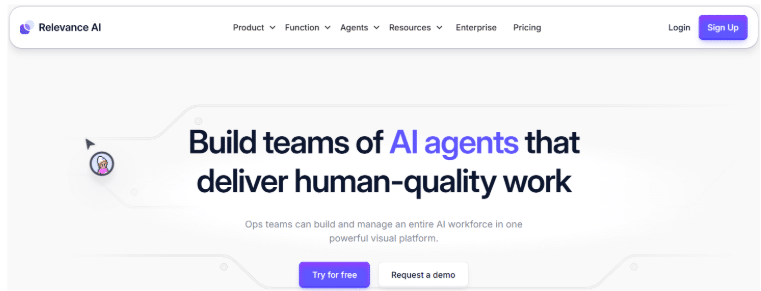
With multiple resources and AI products, numerous businesses utilize this AI workflow automation tool to streamline their workflows. You can also do so either by using the pre-built agents or inventing an AI agent with a prompt.
Key Features
- With 2000+ integrations, boost your AI agents from Google Workspace, Slack, to Salesforce.
- Schedule the tasks at once and automate them.
- Gain access to the latest AI models from Google, OpenAI, Anthropic, and other leading providers.
- You can also use 100+ pre-built templates and customize them as per your work requirements.
- In-built enterprise-grade security compliance available with SOC 2 & GDPR.
Relevance AI Pros and Cons
Relevance AI offers both free and paid plans; however, it’s essential to understand the platform’s limitations beforehand.
Relevance AI Pros
- Benefits both technical and non-technical individuals.
- You can build and quickly deploy agents in a single action.
- 90-day task history backup.
- The free plan allows a 30-day task history, which is worth considering.
- 45 to unlimited users in a team can build agents on this platform.
Relevance AI Cons
- Creating a workflow can be challenging with multiple AI tools.
- You can create only 1 project and 1 workflow in the free plan.
- Limitation to priority support on the Free and Pro plans.
AI Workflow Automation Tools: Are They Worth Using?
If you want to reduce the manual work, save time, and manage multiple tasks in one go, then yes, AI workflow automation tools are worth using.
After trying almost all the tools, I personally find Zapier and Microsoft Power Automate to be the most helpful. However, the choices can differ based on your work and the tasks you want to automate.
I suggest that you take advantage of the free plan, free trial, or demos to understand the platform. This way, you can realize which AI automation tools are worth your money and align with your requirements.
Conclusion: Zapier Is The Top AI Workflow Automation Tool Currently
Although Zapier is a popular and renowned AI workflow automation platform, there are still many other platforms worth considering, such as Microsoft Power Automate, N8n, and Lindy AI, as mentioned in this guide above.
Some platforms offer a free plan, some provide a free trial, and a few require a subscription to get started. However, the standout feature is that these AI automation tools specifically target solopreneurs, freelancers, startups, and businesses, making them a distinct choice in this field.
Finally, analyze all these best AI workflow automation tools and select the one that will automate your workflow, boost your productivity, and save you time.
FAQs
Zapier, Microsoft Power Automate, and Make are the best AI workflow automation tools for their integration feasibility and seamless customization features. However, choosing the best tool is an entirely personal choice, so it is best to try these tools and then decide which one is the best.
Zapier is a worthy workflow automation tool for individuals and businesses. It is especially beneficial for non-technical users to automate tasks with a user-friendly interface and extensive library options for app integrations.
N8n is an open-source community platform. It does not offer a completely free plan, but it does extend a 14-day free trial for Cloud and Self-hosted plans.
The AI workflow automation tools are built to automate repetitive tasks in the workflow you create. The tools analyze the pattern and then take action after being triggered, enabling them to run smoothly across various systems.
Google has workflow tools, including Google Cloud Workflows, Workflow connectors, and Google Workspace for developers, enabling organizations to automate tasks on Google apps.
AI tools use machine learning and natural language processing (NLP) to manage multiple tasks simultaneously. The AI tools help streamline workflows, improve efficiency, reduce manual work, and save time.
