
Though Midjourney now offers a base plan starting from just $10/mo, and isn’t as inaccessible as it was before, plenty of free Midjourney alternatives can produce similar quality results.
In this Midjourney alternative comparison, we test over 14 options that will definitely help you test out similar or even better tools than Midjourney and their potential to generate AI images.
Find out details on free trials, reasons to choose, and our experience ratings of using them across critical parameters covered in the upcoming guide!
10 Midjourney Alternatives 2026 (Mostly FREE)
These are the top Midjourney alternatives that many users prefer and have been tested. With many free options to choose from, it will be a task to select the best fit from a range of free, open-source, and paid options, such as Midjourney.
I’ve covered the key points for each of them to help you make a choice sooner.
| Midjourney Alternative | Why Choose | Free Trial |
|---|---|---|
| Playground AI | Lets you use your artwork commercially | 50 images per day |
| Leonardo.AI | Run and upload your own models | 150 tokens |
| Nightcafe | Operate multiple algorithms and models | 5 free credits per day |
| Stable Diffusion | Free and Open source | Free forever |
| Craiyon | No sign-up required | Free forever |
| Adobe Firefly | Bundles of editing and enhancing options | 25 credits |
| Lexica | Best for beginners | 100 images |
| Bing – AI image creator | Generate unlimited images | 100 boosts per day |
| Jasper Art | Prompt assist for better results | 7-day free trial |
| DALL E 3 | Expanding an existing image further | 2 images per day |
For added functionality checks, I tested each with its offered features and shared some of the resultant images.
Let’s explore various free alternatives to Midjourney available in 2026 to select the best options.
Note: The ratings for certain features are based solely on my personal experience with using the tools.
1. Playground AI
| Feature | Rating (out of 5) |
|---|---|
| Ease of use | 4.7 |
| Image generation speed | 4.7 |
| Editing flexibility | 4.7 |
| Prompt to Image relevance | 4.5 |
This might just be the best answer to your prayers, as Playground AI lets you generate up to 50 free images with a very user-friendly experience. It is one of the best Midjourney free alternatives.
In addition, with stable diffusion XL and 1.5, you have more freedom regarding the models you use for image generation.
Based on the model being used, you can apply a variety of fun filters and further in-painting, upscaling, and face restoration options. From the alternatives I tested, Playground AI is one of the fastest in giving multiple results at a time.
Have a look at the Playground AI’s community feed:
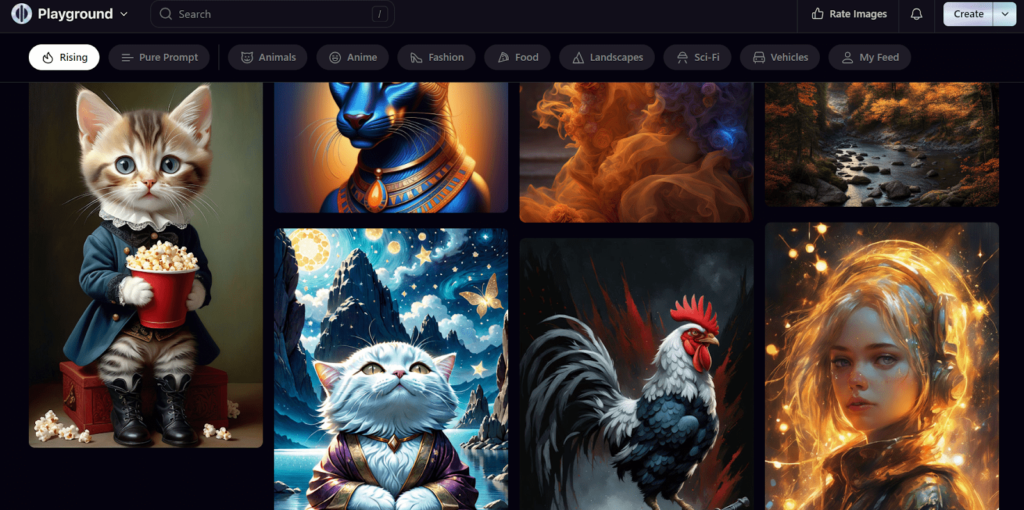
Playground AI interface and the image I generated

However, the free version has its limitations. Users will be in the “waiting period” after it generates the first 500 free images. The image dimensions are fixed for different models used, and the quality of the images generated will also drop after 50 images.
Playground AI has a 4.6 out of 5 rating on product hunt.
“Underrated, but it offers filters and so much more without the complexities of using a standalone Stable Diffusion software. More control on the results than Midjourney.”
–Aseponde (Product Hunt user) ⭐⭐⭐⭐⭐
Pros
-
Generate up to 500 images completely free
-
Use your images commercially
-
Multiple filters and expert editing options
-
Access to Stable Diffusion and Playground AI models
Cons
-
The image dimensions are fixed for the selected model used.
-
There is a waiting period to post 500 free images
-
Lesser control over the quality and details of the image after 50 images
Pricing:
| Plans | Pricing |
|---|---|
| Free | $0/mo |
| Pro | $12/mo |
| Team | $25/mo |
2. Leonardo.Ai (Run And Upload Own Models)
| Feature | Rating (out of 5) |
|---|---|
| Ease of use | 4.7 |
| Image generation speed | 4.6 |
| Editing flexibility | 4.8 |
| Prompt to Image relevance | 4.7 |
Leonardo AI lets you train your own AI model and generate thousands of variations and deviations from your training data. It is preferred by many users as a free alternative to Midjourney owing to this.
For game developers, this software is a gift as it lets you create models of various items from your existing work and give it themes like futuristic, medieval, or fantasy.
Leonardo AI community feed

Leonardo AI interface

To be able to access the software, you will have to join their early bird access waitlist and wait till they send you an email.
“Recently Bought monthly subs. And I think it was worth it. And its not good as Midjourney but I think it’s much cheap and better and not bad if you know what you are doing.”
–Protik Mondal ⭐⭐⭐⭐
Pros
-
Can run simultaneous jobs in the background
-
Outpainting
-
Primarily developed to generate game assets
-
Train your own visual model
Cons
-
Waitlist and early bird access only
Pricing:
| Plans | Pricing |
|---|---|
| Free | 150 credits/day |
| Apprentice | $10/mo |
| Artisan | $24/mo |
| Maestro | $48/mo |
3. Night Cafe (Works With Multiple Algorithms And Models)
| Feature | Rating (out of 5) |
|---|---|
| Ease of use | 4.6 |
| Image generation speed | 4.6 |
| Editing flexibility | 4.6 |
| Prompt to Image relevance | 4.7 |
Nightcafe lets you hold the leash of your creativity and much more. It opens doors to multiple tex-to-image models, including the likes of DALL-E 2, CLIP-Guided Diffusion, VQGAN+CLIP, Stable Diffusion, and Style Transfer.
It’s basically a website that hosts multiple models in one place and lets you choose the model that suits your needs.
Nightcafe – all-time best generations

Their interface used to feel unimpressive and old, but has improved over the last few months. With the free plan, users only get 5 free credits per day in the beginning, with access to all the models. Once you run out of free credits, you are limited to creating single-image base “Stable” creations until you’ve got more credits.
My image generation on Nighcafe

“Of all the text-to-image tools out there, this has the best overall functionality ”
-Tariq Z
Read More Nightcafe reviews on Capterra
Pros
-
More control with different modes, each corresponding to a different style.
-
Easy to get started no email or credit card required.
-
Stable Diffusion and DALL E are available
Cons
-
Image generation limitations post-free usage
Pricing:
| Plans | Pricing |
|---|---|
| Free | $0 |
| Nightcafe PRO | Starts from $4.49 – for 100 credits/mo |
4. Stable Diffusion Web
| Feature | Rating (out of 5) |
|---|---|
| Ease of use | 4.8 |
| Image generation speed | 4.3 |
| Editing flexibility | 4.5 |
| Prompt to Image relevance | 4.7 |
Stable diffusion models from Stability AI can give Midjourney a tough fight with its AI image, video, audio, language, and 3D model generations.
While Stability AI does not allow free access to the Stable Diffusion models, some third-party websites can generate free AI images. However, to be honest, this might not be the best Midjourney free alternative to choose from my list.

My generated image on Stable Diffusion

For demonstration purposes, I used stablediffusionweb.com, which uses the Stable Diffusion XL language for image generation.
Due to their large number of users, the server may experience problems. In the recent updates, Stable Diffusion has added the option to add “styles” to images and also provides a prompt guide to boost creativity.
Have a look at the pros and cons of the website I used Stable Diffusion on:
Pros
-
Unlimited AI image generation with Stable Diffusion
-
Easy to use interface
-
Free and Open-source model
-
Complete user privacy without search limitations
Cons
-
Human figures aren’t refined and feel distorted
-
Takes a longer time to generate an image
-
The website feels a bit choppy
Pricing
| Plans | Pricing |
|---|---|
| Free | $0 |
| Pro | $7/mo |
| Max | $14/mo |
5. Craiyon (No Sign-Up Required)
Crayon’s foundation is based on the DALL-E model. Although very basic, it can definitely satisfy your generic creativity quota. The prompt generates 9 decent images, which you can view in 3 different styles.

The images from even basic prompts take a lot of time to process, and while you wait for them, you are distracted by unwanted ads right on the results page. The image quality also feels a bit on the lower side, with very few options to edit.
The most interesting part about this free Midjourney alternative is that you can print the images you generate on a black or white t-shirt and get them shipped directly to you!
Check out this official YouTube guide on how to use Craiyon.
Pros
-
Easy to use
-
Doesn’t require signing up
-
Suggests prompt ideas
Cons
-
Takes a longer time to generate images
-
A lot of Ads
Pricing
| Plans | Pricing |
|---|---|
| Free | $0 |
| Supporter | $10/mo |
| Professional | $20/mo |
| Enterprise | Custom |
6. Adobe Firefly
| Feature | Rating (out of 5) |
|---|---|
| Ease of use | 4.5 |
| Image generation speed | 4.7 |
| Editing flexibility | 4.8 |
| Prompt to image relevance | 4.8 |
This can be the next big thing in the text-to-image generation field as Adobe is combining the skills of ‘Photoshop’ – a veteran in image processing and editing, with AI text-to-image generation. The entire experience is focused on more than just text-to-image generation.

With Photoshop working alongside, it will extend the limits of what generative AI can achieve with Adobe Firefly.
Adobe is also working on adding –
- Text to vector, Text to the pattern
- Text to the pattern
- Text to brush
- Text to sketch, and
- Text to template
tools to Adobe Firefly and adding more feathers to its cap.
Adobe Firefly interface
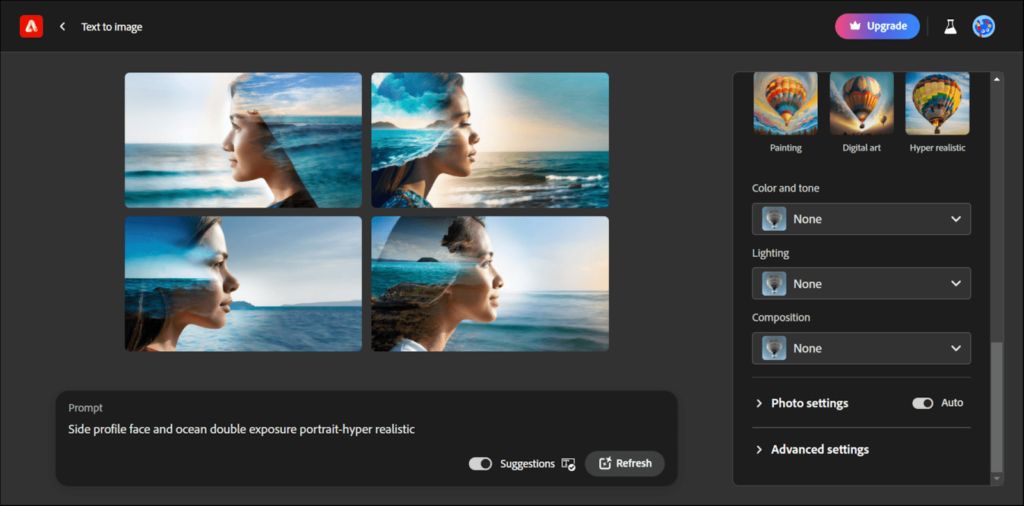
Users love using Adobe Firefly and its features. I found this Reddit thread that helped me get more insights on the tool.
Pros
-
New generative match feature
-
High-Quality image generation
-
Can apply styles or textures to text with a prompt, can paint new objects, or remove objects
Cons
-
Slow image generation
Pricing:
| Plans | Pricing |
|---|---|
| Free | $0 |
| Premium | $4.99/mo |
Bonus: If you’re in search of the absolute best AI Image Generator, you should definitely check out this post.
7. Lexica
| Feature | Rating (out of 5) |
|---|---|
| Ease of use | 4.7 |
| Image generation speed | 4.5 |
| Editing flexibility | 4.6 |
| Prompt to Image relevance | 4.7 |
Lexica is an art gallery and search engine based on the Stable Diffusion AI image generation model. The interface is very easy to use and straightforward. You don’t need any sign-up to get started with your work.
Lexica image gallery

Lexica interface
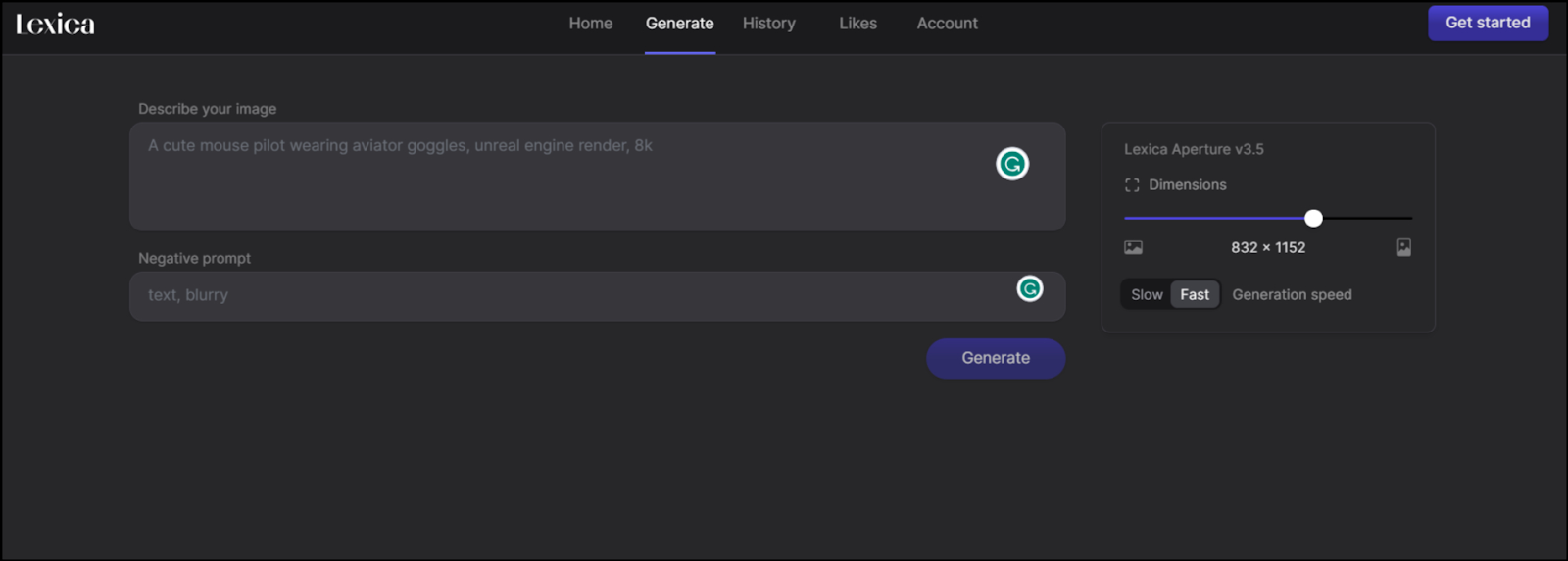
One stand-out feature that Lexica has is that you can type anything and explore its collection with similar results. This can help you find inspiration from other artists when you feel you are out of ideas.
It’s straight up to the point and works hand in hand with the user without a hassle. This makes it highly suitable to beginners.
Pros
-
Easy to use
-
Best for beginners
-
New aperture v3.5
-
Quick image generation
Cons
-
Needs a subscription to use it commercially
Pricing
| Plans | Pricing |
|---|---|
| Free | $0 (100 images per month) |
| Starter | $8/mo |
| Pro | $24/mo |
| Max | $48/mo |
8. AutoDraw (Create Drawing & Sketches)
| Feature | Rating (out of 5) |
|---|---|
| Ease of use | 4.8 |
| Image generation speed | 4.9 |
| Editing flexibility | 4.5 |
| Prompt to Image relevance* | 4.8 |
*Autodraw uses user drawings as a prompt
AutoDraw is a free web-based tool that uses AI to generate vector drawings and sketches. Users can start by entering any text or object, and AutoDraw will produce a corresponding vector image interpreting the concept.

For example, typing “dog” generates various cartoon dog sketches. The AI was trained on millions of drawings to recognize patterns and concepts. Users can continue editing the image by adding lines and shapes, with AutoDraw smoothing and perfecting them into a clean vector graphic.
The tool was created to make drawing and sketching effortless, even for non-artists. The smart AI capabilities streamline what is usually a manual illustration process requiring artistic skill.
“Autodraw has helped me in so many ways to teach the children using visuals. It instantly catches attention, and I like how it is completely free”
-Andrew Ruby, Kindergarten Teacher
Pros
-
Free and easy to use online
-
Allows anyone to create drawings and sketches; no artistic skill is required
-
AI provides assistance in smoothing and perfecting lines and shapes
-
Generates clean vector image outputs
-
Massive library of recognizable concepts and objects
Cons
-
Limited customizability compared to full illustration software
-
AI cannot always interpret vague or abstract concepts
-
Cannot customize model or fine-tune generations
Pricing:
| Plans | Pricing |
|---|---|
| Free | $0 |
9. Bing AI Image Creator
| Feature | Rating (out of 5) |
|---|---|
| Ease of use | 4.8 |
| Image generation speed | 4.7 |
| Editing flexibility | 4.6 |
| Prompt to Image relevance | 4.8 |
The lesser-known option for free image generation, and undoubtedly the best Midjourney alternative, is Bing Image Generator, which generates high-quality images that feel more creative.
The best part is that the Microsoft AI Image Creator is now powered by DALL-E 3, allowing it to generate impressive results. You can use it by going to the images section on the Bing homepage and clicking the image creator button.
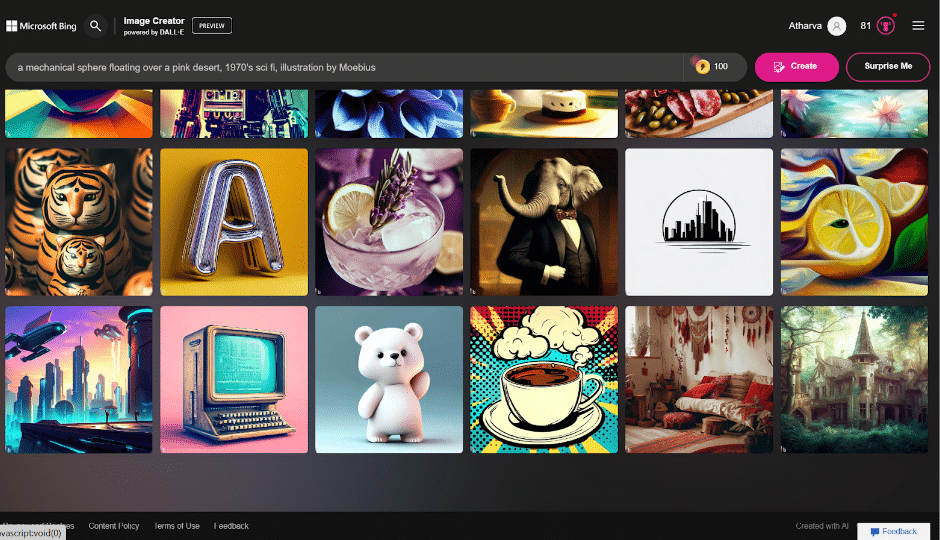
Check out this crisp image that I got from the Bing AI image creator

It, however, lacks customization and editing options, which others offer. You get 100 free credits every day, but after you generate your first 25 images, you will have to wait longer for the results.
“I don’t dislike anything about Microsoft Bing Image Creator, but I do acknowledge that it has some limitations. Sometimes, it may not generate images that match the text description exactly, or it may produce images that are unrealistic or inappropriate. It is not perfect, but it is constantly improving.”
– Collen H.
(Validated review: on G2)
Pros
-
Can be used with any browser and works together with Bing Chat AI
-
Works even after exhausting free credits
-
Powered by DALL E 3
Cons
-
Lacks customization styles and editing options
-
Limited image pool.
-
Relies on the Bing search engine algorithm; Users might experience disruptions or limitations during such scenarios.
Pricing:
| Plans | Pricing |
|---|---|
| Free | $0 |
10. Meta AI Image generator
| Feature | Rating (out of 5) |
|---|---|
| Ease of use | 4.8 |
| Image generation speed | 4.8 |
| Editing flexibility | 4.1 |
| Prompt to Image relevance | 4.2 |
If you use WhatsApp, Instagram, or Facebook, you must have noticed a new feature added to each of these apps in terms of AI assistance with the Meta Llama 3.1 AI.
Generating AI images with Meta AI is similar to Midjourney’s Web interface, with a clean and clutter-free interface. While the image generation speed can vary depending on your prompt, it’s still fast enough and provides enough variations (four) to choose from.
Meta AI Interface

Meta AI-Generated Image

The most interesting feature is that this Midjourney free alternative suggests a preview of your image generation prompt as you type it. That, in my opinion, is really impressive and has never been seen before.
Further, its animated feature can move your generated image for about 4 seconds, adding further life to your generated AI image.
Pros
-
Allows integration with Meta platforms with an instant sharing feature
-
Easy-to-use editing features
-
Relatively quick image generation speed
-
AI video generation ability
Cons
-
Relevance to the prompt is not quite accurate yet
-
Custom style and aspect ratio features are not available.
Pricing
Meta AI is completely free and does not require users to subscribe to anything for its conversational AI or image generation features.
11. Canva AI Image generator
| Feature | Rating (out of 5) |
|---|---|
| Ease of use | 4.6 |
| Image generation speed | 4.2 |
| Editing flexibility | 4.8 |
| Prompt to Image relevance | 4.2 |
The fresh new Magic Media mode from Canva allows you to get some really high-quality AI images for free. This mode from Canva allows free and Pro users to integrate Canva’s creative abilities with powerful AI image generation.
This Midjourney alternative is pretty simple and similar to any basic AI image generation software. You just have to insert your prompt, any specific style you want, and generate a set of 4 image variations at once.
Another plus point why you should consider Canva as a free alternative to Midjourney is its video generation ability powered by Runway AI, which is one of the best AI video generators currently.
Canva AI Image Generator Interface

Canva AI-Generated Image

Canva AI image generator allows 50 free AI image generation (image variation excluded) and 4 free AI video generations, bundled with editing styles and Canva’s standard image editing features.
Pros
-
Allows AI image generation with integration of Canva’s current features.
-
Beginner-friendly and easy-to-use AI image-generation tools
-
50 free AI images
-
Runway AI-powered AI video generation
Cons
-
Finds it difficult to generate accurate results for complex prompts
-
No option to change the aspect ratio of the image
-
Only 50 free image generations in a lifetime
Pricing
| Plans | Pricing |
|---|---|
| Canva Pro | $15/month |
| Canva Teams | $10/month per user (min. 3 users) |
| Canva Enterprise | Custom Price |
Bonus: Follow this guide to get started with a Canva free trial for the first 30 days and use even more of its AI image generation features.
Best Paid Alternatives For Midjourney
The last ones on the list are the paid alternatives to Midjourney, which are direct competitors to Midjourney and its advanced image-generating features. These alternatives come close and, at times, even beat Midjourney in some cases.
Note: The ratings for certain features are based solely on my experience of using the tools.
12. Jasper AI Image Suite
| Feature | Rating (out of 5) |
|---|---|
| Ease of use | 4.7 |
| Image generation speed | 4.7 |
| Editing flexibility | 4.6 |
| Prompt to Image relevance | 4.7 |
Jasper AI image suite is an easy-to-use platform that allows you to generate as many images as you want. There is no limit to the number of images you can generate. It guides you to generate better results by enhancing your prompts.
As part of the Jasper subscription, the Jasper Image suite is included at no additional cost; you only need to be enrolled in a Pro or Business subscription with Jasper. We have spent some time with Jasper AI image suite, and we’re quite satisfied with it as well.
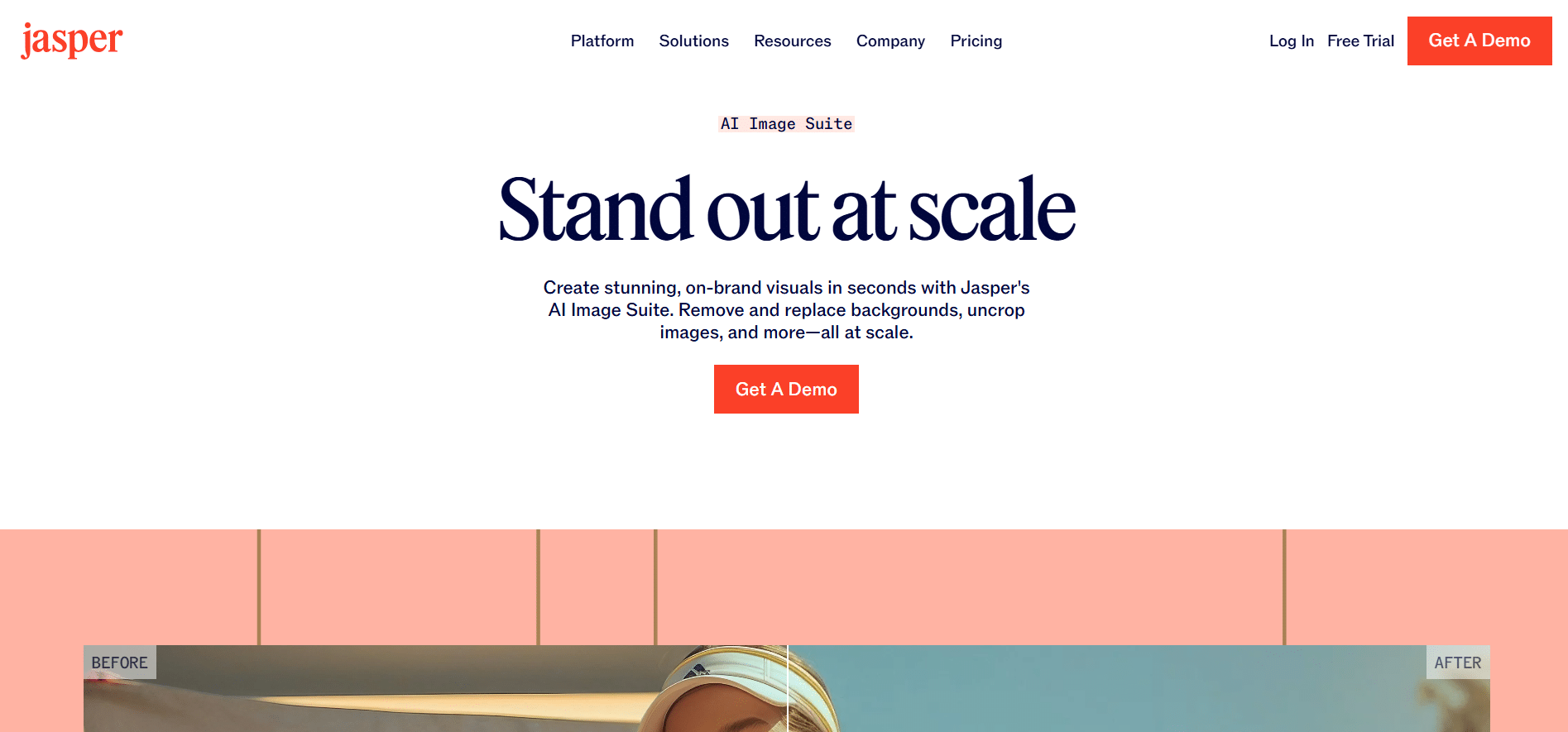
It is not well-versed in generating correct spellings as of yet and may show interesting outputs. Human faces can sometimes look distorted if the prompt isn’t entered correctly.
Pros
-
Suggests ways to enhance your prompts
-
Easy-to-use
-
Has an AI tool that helps you write blog posts, social media posts, and marketing copy.
Cons
-
An All-inclusive Jasper package needs to be purchased to access the Jasper AI image suite
-
Requires payment details to start the free trial
Pricing:
| Plans | Pricing |
|---|---|
| Pro | 7 day trial period |
| Business | Starts at $39/mo |
13. ChatGPT (With GPT 4o Access)
| Feature | Rating (out of 5) |
|---|---|
| Ease of use | 4.8 |
| Image generation speed | 4.7 |
| Editing flexibility | 4.7 |
| Prompt to Image relevance | 4.7 |
ChatGPT’s AI capabilities reached newer heights when it started using its proprietary GPT-4o and DALL-E 3 models for its AI image generation within its interface.
Within a few seconds of entering the prompt, ChatGPT generates a high-quality image. This Midjourney alternative is flexible and can be used in more ways with its web access and mobile app accessibility across devices.
The only downside is that it allows only 3 image generations per day. To truly test this alternative to Midjourney, you will need to subscribe to its paid plans.
ChatGPT Interface

Image generated on ChatGPT with DALL-E 3:

What makes this free Midjourney alternative stand out is the ability to integrate the advanced ChatGPT abilities and advanced editing features that allow changes to the image directly by selecting a specific part.
Pros
-
Super-fast AI image generation
-
Highly accurate image generation, even with complex prompts
-
Easy and hands-on editing options
Cons
-
Generates only one image at a time
-
Can generate only 3 free images per day
Pricing
| Plans | Pricing |
|---|---|
| Plus | $20/mo |
| Team | $25 – $30/mo/user |
| Enterprise | Custom pricing |
Bonus Midjourney Free Alternatives
Given the highly talked-about tool, the Sora AI text-to-video generation model is the closest competitor and also the best Midjourney alternative.
Developed by OpenAI, this new AI video and AI image generation model is set to set new industry standards. The Sora AI model has received a lot of praise and attention just from the sample generations shared during its launch.
Another trending new Midjourney alternative with limited free access is the Google Nano Banana AI. This new AI image generator from Google has proven to be groundbreaking, with users testing the limits of what an AI image can create.
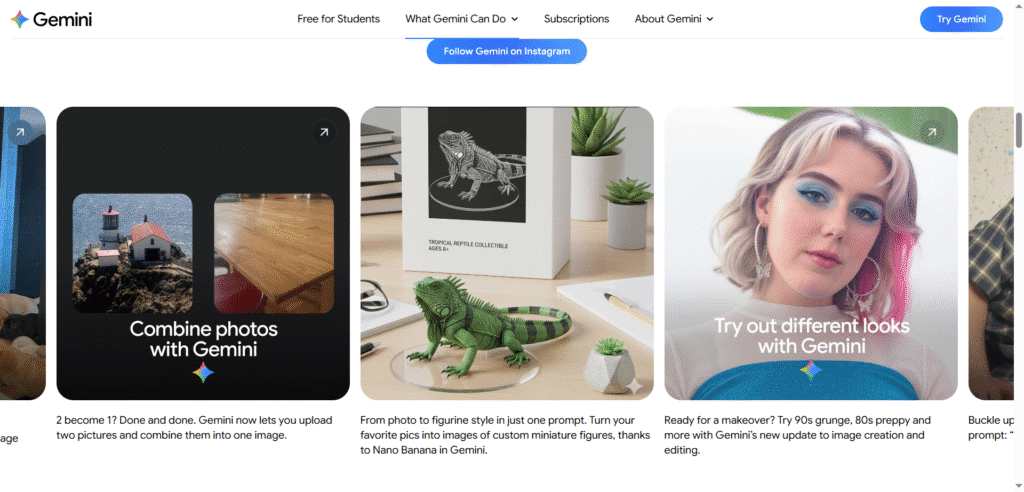
People are using Google Nano Banana AI to create 3D Figurines, in just a few minutes, repurposing old photos as polaroids, and hopping onto the latest trends. While not as complex or customizable as Midjourney, with effective prompts, it can surely reach close to being another free Midjourney alternative to consider.
Conclusion: Bing Image Creator, ChatGPT, and Google Nano Banana Are The Best Free Midjourney Alternatives!
These Midjourney alternative free options are surely worth it and won’t let you miss using Midjourney. This is a great period for artists and creative minds to really explore the available assets out there, as the only true limit for generative AI is our imagination.
Though I believe that Midjourney’s capabilities can hardly compete with some of the free alternatives, they do offer a valuable experience, given the addition of a web mode now.
While working with all these amazing tools, I came across three impressive alternatives that can be your Midjourney alternative:
- Bing AI Image Creator – Easy to use and quality results with this Midjourney free AI alternative that is operating on DALL-E 3.
- ChatGPT — With a one-of-a-kind 4o image generator model, ChatGPT now allows realistic AI image generation at par with Midjourney
- Google Nano Banana AI – With the ability to create instant AI image generation within the Gemini app, it makes for a great free option to consider.
Let me know in the comments below if you know of another Midjourney alternative that can be a part of this list.
