
Grammarly is the best assistant tool, but there are also multiple alternatives available. ProWritingAid and Quillbot are overall great platforms to try if you are looking for a tool other than Grammarly.
While using Grammarly for around 5 years, I have also tried multiple writing tools and shortlisted the top 13 for you. Indeed, some of them are free to start, while others offer a free trial option, followed by a payment option to unlock advanced features.
This is the ultimate guide to the 13 best Grammarly alternatives, which includes all the information, such as platform details, key features, and pricing. Compare the platforms to determine which one best suits your needs.
Quick Tip 💡– If you’re looking for a free Grammarly alternative, I’d recommend going with Quillbot and ProWritingAid.
Top 13 Grammarly Alternatives: Quick Comparison
The top 13 Grammarly alternatives are ProWritingAid, Quillbot, and Ginger. These tools are free to start, offering features similar to Grammarly with reasonable pricing plans.
Here is an overview of the top Grammarly alternatives, including both free and paid options.
| Sr. No | Grammarly Alternative | Price | Free Version | Best For |
|---|---|---|---|---|
| 1 | ProWritingAid | $30/month | ✅ | Comprehensive editing |
| 2 | Quillbot | $8.33/month | ✅ | Paraphrasing |
| 3 | Ginger | $9.99/month | ✅ | Grammar correction + proofreading |
| 4 | WhiteSmoke | $5/month | ❌ | Plagiarism checking |
| 5 | Hemingway Editor | $25/ month | ✅ | Readability improvement |
| 6 | Sapling | $25/month | ✅ | Team collaboration |
| 7 | PaperRater | $3.48/month | ✅ | Academic writing |
| 8 | Language Tool | $24.90/month | ✅ | Multilingual support |
| 9 | Linguix | $15/month | ✅ | Browser extension |
| 10 | Jasper AI | $59/month | 7-day Free Trial | AI-powered content creation |
| 11 | Wordtune | $13.99/month | ✅ | Sentence rephrasing |
| 12 | Writer.com | $39/ month | ✅ | Style guide enforcement |
| 13 | Slick Write | Free | ✅ | Real-time editing |
If you are looking for an alternative due to Grammarly’s expensive pricing, we have our exclusive Grammarly Pro discount. Using our discount, you can save up to 20% on all the plans. This means you can get Grammarly Pro for as low as $9.60/month.
1. ProWritingAid
ProWritingAid ranks as the best Grammarly alternative due to its excellent features and capabilities. Out of all the tools in the market, ProWritingAid gives the closest comparison to Grammarly Pro.
With a strong security protocol, your writing cannot be leaked from ProWritingAid. This is something that is lacking in several writing applications.

It lets you proofread and edit your content as you write in real time. To put it simply, ProWritingAid is a revised version of Grammarly.
Using ProWritingAid, you can watch out for various aspects like overused words, cliché statements, style enhancement, word repetition, alliteration, and sticky words.
Although ProWritingAid has a plagiarism checker like Grammarly, you also get a breakthrough feature like Theasarus support, which is stronger than Grammarly.
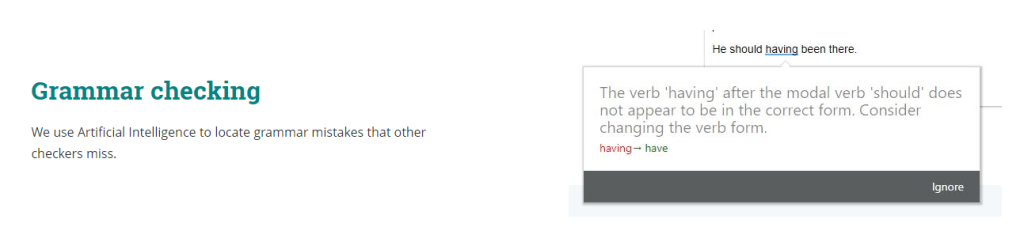
Furthermore, you also get data visualization that gives detailed readability reports with appealing graphics and a customizable writing dictionary that you can tailor accordingly.
Coming to its drawbacks, ProWritingAid doesn’t have a mobile application like Grammarly. This can make it challenging for people who want an alternative to their phone. You can only use ProWritingAid on your laptop. Additionally, the interface of ProWritingAid is simple to navigate, but the design looks cluttered.
The interface is packed with too many options at the top, making it confusing to understand and overwhelming. However, once you get used to it, you will find ProWritingAid quick to use, but for me, the interface really holds me back.
I have done a detailed comparison between ProWritingAid vs Grammarly that you can check out. The article will give you a comprehensive understanding of the major differences and similarities.
Key Features:
-
You can take ProWritingAid wherever you write, which means you have many integration options like Mozilla Firefox, Google Chrome, and Microsoft.
-
You can get your writing graded by ProWritingAid and receive a detailed report with specific insights and ground-level suggestions that you need to improve.
-
You don’t have to search for each word in Google since ProWritingAid has an excellent Thesaurus support feature within the platform itself.
-
You can write and edit simultaneously in ProWritingAid without any hassles.
-
You can bring a unique style to average content with ProWritingAid.
ProWritingAid Pricing: ProWritingAid offers exciting deals, where you can pay $399 for the Premium plan and $699 for the Premium Pro plan, both of which include lifetime access. If you’d like to opt for a subscription service, you can pay $10/month on yearly billing or $30/ month on ProWritingAid.
2. Quillbot
Popularly known for its paraphrasing capabilities, Quillbot has a built-in grammar checker that has excellent accuracy compared to Grammarly.
One thing I have noticed about Quillbot’s grammar checker is that it is really good and provides features similar to Grammarly Pro, even with its free version!
You can also rephrase your content in multiple ways and make it sound different in each mode. For instance, you can choose modes from formal to simple to creative.

Even if you’d like to improve fluency and readability in your content, Quillbot can do it accurately with zero errors and mistakes. The best part about Quillbot is the synonym customization tool that allows you to choose the vocabulary enhancement range.
You get AI-powered thesaurus support in Quillbot that suggests the most appropriate words while editing or proofreading your content without removing the keywords.
From Google Chrome to Google Docs, Quillbot can be integrated with a click.
To learn more about the differences and understand which one is right for you, head over to our in-depth Grammarly vs Quillbot comparison.
Key features:
-
Your proofreading gets better with the right tools in Quillbot.
-
Use Quillbot to transform the tone of your content instantly.
-
Finding trouble reading long-form content? Quillbot’s summarizer can help.
-
Stretch or shorten your content without destroying the context using Quillbot.
-
Get insightful statistics of your content in a report from Quillbot.
-
You can spot the changed and unchanged words after proofreading.
Quillbot Pricing: To give a heads-up, Quillbot is available for free.
There are no big limitations in the free version, and you have plenty of features. Still, Quillbot Premium has the added advantage of unlimited paraphrasing and unlocks all the writing modes at once. There’s more. You can also compare different modes.
Quillbot offers an annual plan that costs $99.99 per year, equivalent to $8.33 per month, available on a Premium subscription. The Team plan has custom pricing.
Quillbot also agrees to refund 100% of your purchase within 3 days.
3. Ginger
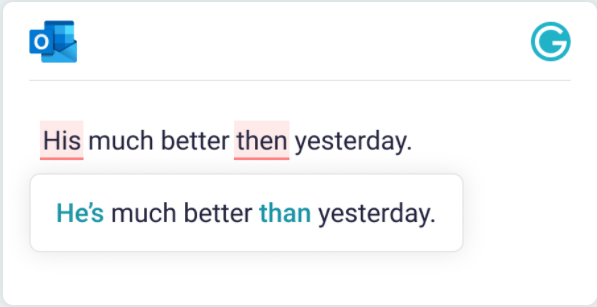
Ginger is powerful grammar-checking software that edits content by analyzing its context instead of focusing on the words used.
Although the grammar checker in Ginger might exceed your expectations, you can rephrase confusing sentences instantly. If you are a non-English speaker, checking for grammar can be a pain in the bum, but Ginger can help you.
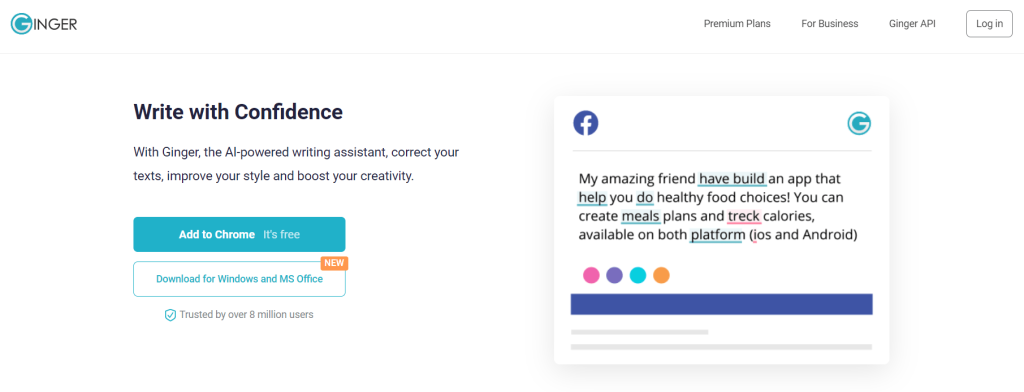
With the translation tool in Ginger, you can edit out the errors and mistakes made in the foreign language and translate them into English with a click. It’s that simple.
Unlike Grammarly, Ginger not only helps you perfect your English but also educates and improves your English vocabulary by offering English tips.
In fact, there is a dedicated writing center called the Ginger Writing Center, where you get insightful tips on writing a resume, an essay, or even a business letter for a company.
Ginger’s ease of use is impressive, as you can access it anywhere. Its integrations include Facebook, Twitter, WhatsApp, WordPress, and more.
Want to know how they stand against each other in detail? Roll over to our detailed Ginger vs Grammarly comparison!
Key features:
-
You can edit with confidence since Ginger analyzes your content’s context.
-
You will get synonym options for any word in your content using Ginger.
-
Rephrasing could not get any better with Ginger, since it is quick and fast.
-
You can go anywhere, yet Ginger will still be integrated into the platform for you.
-
If you are new to writing, the Ginger Writing Center can guide you efficiently.
-
Translates up to 40 languages easily.
Ginger Pricing: Although Ginger offers premium plans, you can use its free version with limited features. Still, if you are a student and need a writing assistant only for essays, the free version of Ginger would be an appropriate option. The best part is that Ginger also offers 70% off for teachers and students.
Regarding Ginger Premium, the annual plan costs $4.99/month, the quarterly plan costs $6.99/month, the monthly plan costs $9.99/month, and the biennial (2-year) plan costs $ 3.99/month.
Try Ginger Premium once and take advantage of the 7-day money-back policy if you are skeptical.
4. WhiteSmoke
WhiteSmoke is an old-school software that still runs efficiently.
Although WhiteSmoke may seem a little dull in terms of interface and design, it gets the job done. Yes, you will not be disappointed using WhiteSmoke.

WhiteSmoke checks your content for punctuation, spelling, style, and grammar and helps you improve it. The one thing that still holds credibility in WhiteSmoke is its translator tool, which can translate up to 55 languages.
Using WhiteSmoke, you can either translate the entire content or check word-for-word. In fact, WhiteSmoke shows examples for each translated word.
Check out our detailed Whitesmoke vs Grammarly comparison to select the right tool for you!
Key features:
-
Instantly start your writing journey with 100+ text templates in WhiteSmoke.
-
If you are not sure about your content, watch instant video/text tutorials and let WhiteSmoke guide you through every step.
-
WhiteSmoke can spot all the duplicate content at a glance and save time.
-
You do not have to worry if your content is not in English; WhiteSmoke can help in proofreading up to 50 universal languages.
-
Brush up on your content style better using WhiteSmoke’s style checker.
-
WhiteSmoke can proofread your entire content in a click and report it to you.
Whitesmoke Pricing: WhiteSmoke is budget-friendly, yet you have to pay to access WhiteSmoke Web. The pricing starts at $5/ month for WhiteSmoke Web, $ 6.66/month for WhiteSmoke Premium, and $ 11.50/month for WhiteSmoke Business. WhiteSmoke Web is very basic.
However, all these plans are available for one payment, costing $59.95 for Web, $79.95 for Premium, and $137.95 for Business.
Note that only WhiteSmoke Business has customer support and an extended download warranty.
5. Hemingway Editor
Hemingway Editor helps you simplify complex sentences in your text. It also suggests removing wordy sentences from your content, such as those found in Grammarly. That’s why it is the perfect alternative to Grammarly.
Hemingway focuses on improving the readability of your content. It doesn’t focus on correcting your grammar or writing errors because the sole focus of this tool is simplifying complex sentences.

The Hemingway rephraser will point out any passive voice, lengthy sentences, and hard-to-read sentences you have used in your text. With the Hemingway app, you can directly correct these errors in your WordPress editor or Medium.
You can also start writing on Hemingway Editor without paying anything because it is totally free.
Key Features:
-
The editing features of the Hemingway editor are much better than those of MS Word.
-
The interface is really easy to use.
-
You can use the Hemingway App without an internet connection.
-
It also allows you to export your content directly to any third-party editor.
-
Use the Hemingway Highlights to show your colleagues the improvement in your content.
Hemingway Editor Pricing: You can use Hemingway Editor on the web for free. You can also try Hemingway Editor Plus with the 2-week free trial offer.
The Hemingway Editor Plus monthly Individual 5K Plan is $25, and the annual plan costs $8.33/ month. On the other hand, the Individual 10K Plan is $30/ month on a monthly subscription and $12.50/ month on a yearly plan.
The third subscription is the Team 10K Plan, which per month is $30 and the annual plan costs $12.50/ month.
The Individual 10K Plan currently offers the best value for solopreneurs, freelancers, and startups.
6. Sapling
If you’re looking for free grammar-checking software similar to Grammarly, then Sapling is the one for you. It is an AI-powered writing assistant that focuses on enterprises. It catches over 60% of language issues compared to other grammar checkers. It uses a machine-learning system that is trained on millions of English sentences.
It is a Chrome extension that you can use across multiple text-based applications, such as Google Docs, Gmail, and Zendesk, among others. It helps you avoid typos that might embarrass you in front of your customers. This grammar checker tool works well with CRMs and other messaging platforms, helping customer support and sales teams send more personalized messages.

Sapling suggests that the tool can help you reduce response time, allowing you to reply to customers ASAP whenever they send a request. The autocomplete Everywhere tool provides suggestions for incomplete sentences so you can quickly form and respond.
Sapling helps you increase efficiency and customer satisfaction by reducing repetitive messaging. This allows your team to focus on customers’ real problems and quickly provide solutions.
Key Features:
-
Major focus on customer support teams.
-
Snippets automate the common phrases, and you can create snippets and share them with your team.
-
The autocomplete feature is similar to Gmail’s autocomplete feature, which predicts the response before you finish the sentence.
-
Sapling offers a 30-day free Pro version trial without asking for any credit card information.
-
Use it as a Chrome Extension and add it to Microsoft Word and Outlook.
-
The infrastructure of Sapling is enterprise-grade
Sapling Pricing: Sapling comes with a free plan that allows you to download the Chrome Extension and add it to Outlook and Word. The Pro plan costs $25/month, which you can try for 30 days before purchasing.
For the Enterprise plan, you need to contact their sales team.
7. PaperRater
PaperRater is a free plagiarism & grammar checker tool that you can use online. It is designed to help students review their assignments and essays. PaperRater is a great free alternative to Grammarly for students, as its grammar checker tool can assist students in ways that Grammarly can’t.
As a free tool, PaperRater does not have the advanced features that most of the tools listed here have. But it is a decent tool for anyone who wants to remove grammatical errors from their text and also check it for plagiarism.
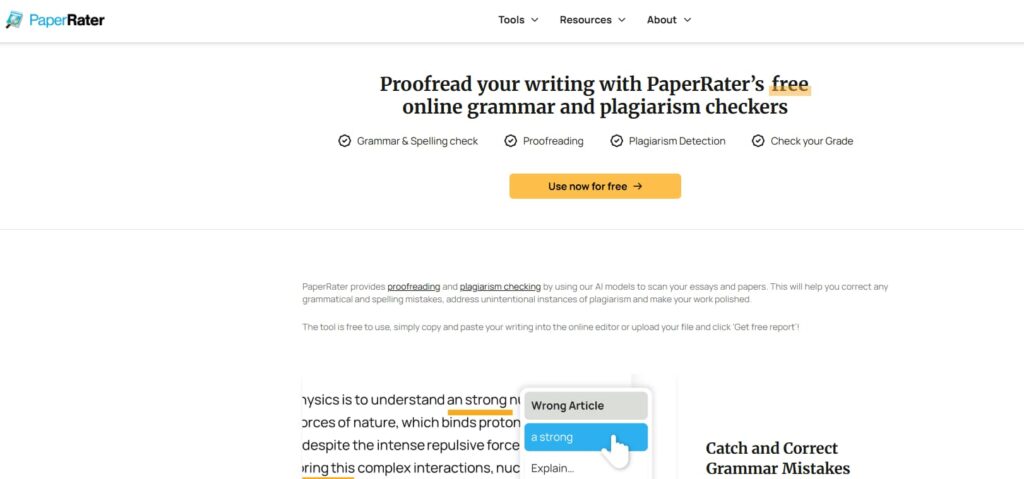
The plagiarism checker checks the uniqueness of your content and lists the URLs that have matching content from your text. But it will not show you what texts are matching in those URLs; for that, you will need the premium version.
When you enter your text in the box, you also need to enter the education level of the author of the text and choose the type of paper you are submitting. You can also check for plagiarism in your text directly on Paper Checker.
Key Features:
-
AI powers the grammar checker of PaperRater, so it can easily detect grammatical errors.
-
It shows your text’s uniqueness when checking it on the plagiarism checker.
-
Get writing suggestions to improve your writing.
-
The scoring system shows a score for your writing on the paper grader.
-
Get matching text displayed on the screen when you are checking your text for plagiarism.
PaperRater Pricing: The tool is completely free to use, but a premium version with advanced features is available for $3.48/month on an annual payment.
8. Language Tool
Language Tool is a tool that has similar features to Grammarly. Similar to Grammarly’s free version, Language Tool’s free version offers spelling correction, solutions to grammatical mistakes, and punctuation. The best part about this tool is that you can check content in more than 20 different languages.
In the free version, you will also get basic style suggestions, such as removing redundant words and changing the sentences from passive voice to active voice. It also has a feature called “Picky Mode,” which allows you to find more mistakes in your content.

It also comes with a browser extension that you can use on Chrome, Safari, Firefox, and Microsoft Edge. Just like Grammarly, you can use Language Tool’s add-on on Google Docs and Microsoft Word as well.
This tool’s interface is a mixture of Hemingway Editor and Grammarly. It also provides a detailed summary of the mistakes in your text. It also comes with a premium version, which gives you features like sentence rephrasing with AI, a personal style guide, agreement errors, semantics, and format & typography.
Key Features
-
Browser extensions for Safari, Firefox, Microsoft Edge, and Chrome.
-
Supports more than 25 languages.
-
Check up to 150K characters per text field.
-
Personal dictionary for the words you want the Language tool to recognize.
-
AI sentence rephrasing tool.
Language Tool Pricing: The premium plan for individuals starts at $24.90 per month. The quarterly pricing is $44.90/quarter, which is $14.97 per month, and the annual pricing is $69.90/year (which costs $5.83/ month).
9. Linguix
Linguix is another great alternative to Grammarly, which is made for non-fiction writers. Just like Grammarly, Linguix also comes with a free version that allows you to fix basic grammatical mistakes in your text.
In the premium version, you get access to a spelling checker, paraphraser, style checker, and so on.
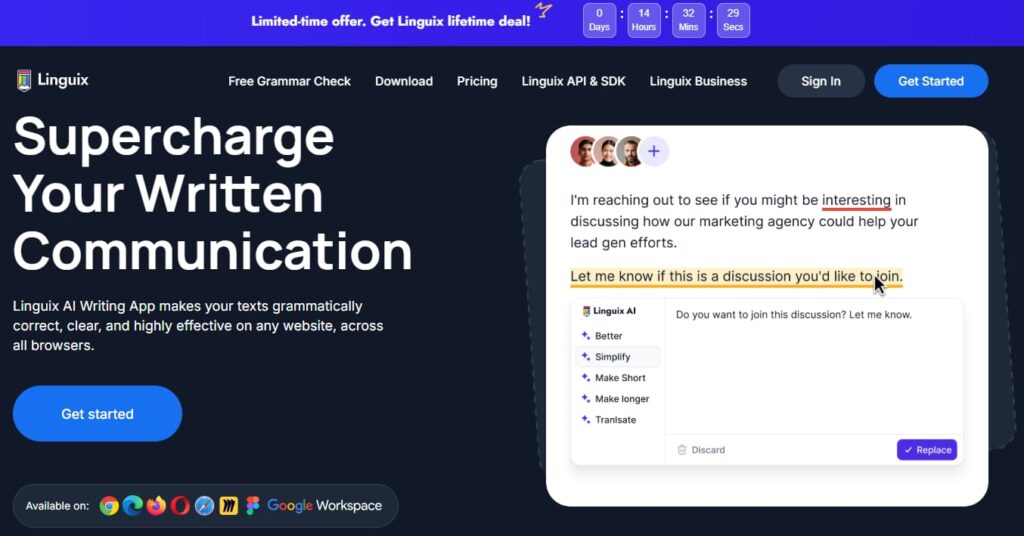
It also shows the statistics of your document, such as the lengths of your sentences and the readability of your text. Grammarly does not offer this high-level approach at all. You will not get access to all the suggestions in the free version, just like Grammarly. To unlock all the suggestions, you need to buy the premium version.
There is no way to upload your document to the Linguix editor. You will lose all the formatting of your text when you copy and paste it into the editor.
Key Features:
-
Check the spelling of your text and improve it using the free AI grammar checker.
-
Linguix comes with an extension for Edge, Chrome, and Firefox.
-
Shows the quality score of your content.
-
Rewrite sentences that are hard to read.
-
Create your own style guide to create your brand voice.
Linguix Pricing: Linguix offers three pricing plan options. The monthly plan comes with $15, the annual plan costs $70/ year ($5.84/ month), and the 2-year plan subscription is $120/ year ($5/ month).
10. Jasper AI
Compelling AI writing software like Jasper AI is programmed with an in-built writing mechanism that curates content 5x faster.
Jasper AI writes 100% original content, which means there is no room for plagiarized or duplicated content since Jasper AI will automatically eliminate it.
Blog posts? Ad campaigns? Product descriptions? Long-form content? Jasper AI has covered all writing formats and templates, so you are not left behind.
Even if you aspire to rank at the top in the Google search results, Jasper AI will produce SEO-optimized content so that your content stands out from the rest.

Lastly, Jasper AI breaks the language barrier and supports 25+ languages globally.
Key features:
-
Even if you had written a rough copy, the content improver in Jasper AI will enhance your content and improve readability for better conversions.
-
Jasper AI will deliver your content within 5-10 seconds with just a click.
-
You do not have to worry about ranking since Jasper AI is SEO-friendly and uses several optimization tools to build robust content for you.
-
With an abundance of templates, you have ready-to-use drafts in Jasper AI.
-
Commands like Jasper AI recipes are available to communicate with Jasper AI instantly if you have a content requirement.
Jasper AI Pricing: Jasper extends Pro and Business plans for its users. The Pro plan costs $59/ month/ seat on an annual billing and $69 month/ seat on a monthly plan. The best thing is that you can try the Pro plan after a 7-day free trial.
The Business plan comes with custom pricing and advanced features. You will need to contact sales to get the suitable pricing for your business.
Sign up for the Jasper AI Free trial and enjoy using it without limits for 7 days.
Or you can opt for the premium plan (boss mode) at $59/m.
Note that only the premium plan unlocks an in-built plagiarism checker, Jasper AI certifications, and revision history. In contrast, the starter plan in Jasper AI gives 50+ AI copywriting skills and 20,000 words. You also get exclusive AI-Bootcamp access.
Jasper AI guarantees a 100% refund if you don’t like using it.
11. Wordtune
Wordtune is not a dedicated grammar checker. Instead, it is a comprehensive AI writing assistant that works exceptionally well. Fueled by its AI powers, Wordtune lets you write engaging and high-quality content in seconds.
The tool provides different features, such as an AI writer, rephraser, summarizer, etc. While it doesn’t specifically provide a grammar checker, the content it will create is error-free and grammatically correct.
You can also use Wordtune as an alternative to GrammarlyGO. Compared to GrammarlyGO, Wordtune provides additional features and better results.

Additionally, the user interface of Wordtune is clean and clutter-free. You can give it a prompt, and the tool will generate the results in a few seconds. Moreover, you can also use Wordtune to repurpose your existing content.
For instance, if you want to use existing content somewhere else without plagiarism, you can take advantage of its rephraser. It will automatically create unique content.
You can integrate Wordtune into Google Docs, Gmail, WhatsApp, Twitter, and LinkedIn.
Key features:
-
You can decide the tone that you want in your content using Wordtune.
-
If the word count is a problem, you can fix it using the expand/shorten features.
-
Wordtune lets you rewrite or rephrase any content that you want.
-
You can access Wordtune anywhere using web and browser integrations.
-
Edit your grammar and proofread your content using the Wordtune editor.
Wordtune Pricing: Wordtune offers a free version that is restricted to 10 rewrites per day. This is ideal for users with no major requirements.
However, the Wordtune Advanced plan costs $13.99/ month, and the annual plan costs $6.99/ month. On the other hand, the Unlimited monthly plan costs $19.99, and the annual plan costs $9.99/ month. There is a straight 50% off on the annual plan compared to the monthly subscriptions.
Note that both the Advanced and Unlimited plan offers a 3-day free trial, irrespective of the plan durations.
12. Writer.com
Another free Grammarly alternative is Writer.com. This excellent tool has a straightforward and beginner-friendly user interface. To begin checking your content, you can copy and paste it into the website.
It will automatically run checks, and the errors will be visible on the right side of your screen. The errors are underlined, and you can tap on them to see the suggestions.
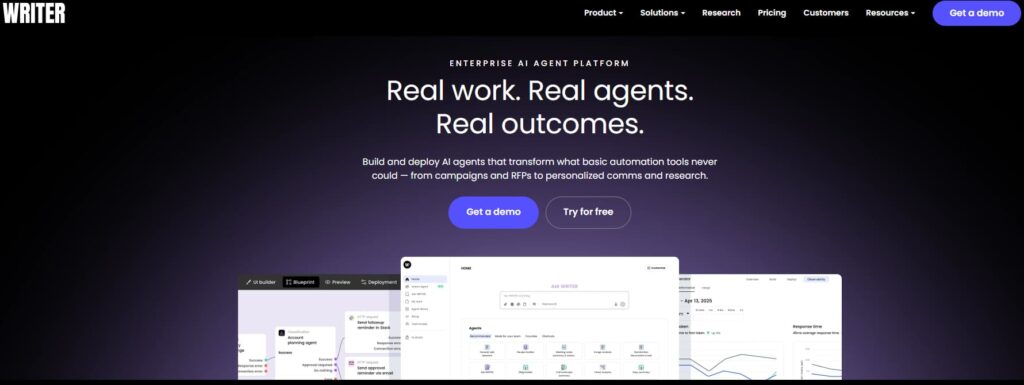
Moreover, it has a Chrome extension that allows you to add Writer.com directly to your Chrome. However, I found a few drawbacks in this free grammar checker.
Compared to Grammarly, it missed out on many punctuation errors. Grammarly Pro detected various punctuation and spelling errors throughout the content, whereas Writer.com failed to point them out.
Writer.com is more reliable for spelling mistakes than punctuation marks. However, if you do not want to spend money on a grammar checker and you write for work, Writer.com is an amazing alternative.
Key Features
-
Helps with word choice and terminology to choose the right words.
-
A tone detector to help you write in the appropriate tone.
-
Provides customized content guidelines.
-
Integrates with Google Docs, Chrome, and Word.
-
Built-in plagiarism checker.
Writer Pricing: Writer.com’s grammar checker is free to use. The platform offers Starter and Enterprise plans, where the Starter plan costs $39 (on monthly billing) and $29 (on annual billing). The Enterprise plan is custom, so contact the sales team to get the pricing suitable for your team.
13. Slick Write
Slick Write is yet another robust free alternative to Grammarly. You can directly start checking your content with a simple and intuitive UI. Slick Write is ideal for marketers, SEOs, professionals, writers, students, and more.
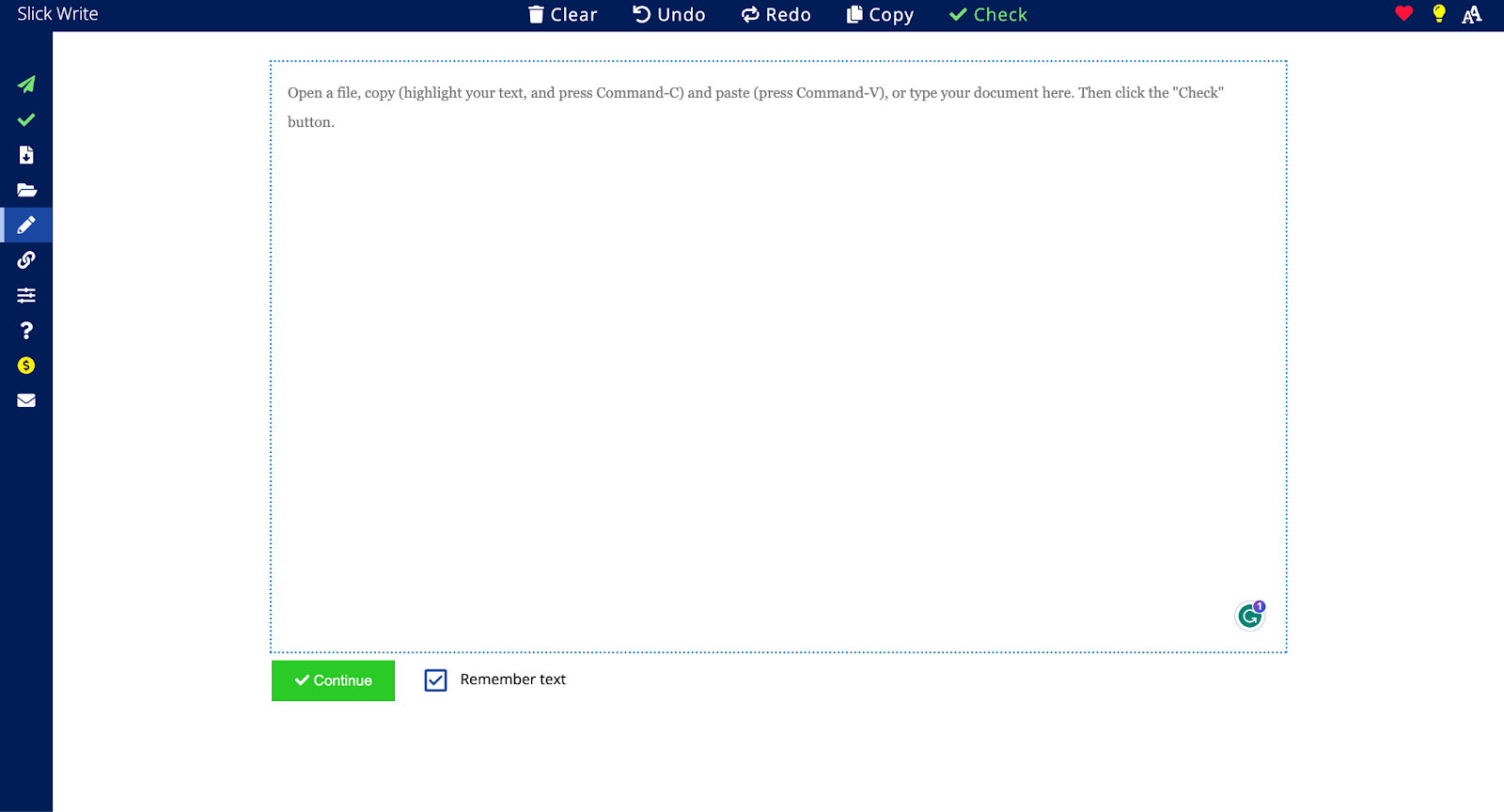
Additionally, Slick Write is highly secure and doesn’t put your content at risk. Talking about its accuracy, it works decently, considering it’s a free tool. Moreover, Slick Write works best for teams due to its dedicated features that track the activities of your teammates.
The only drawback I found while using Slick Write is that the interface is outdated. Although it is easy to use, the old design can make your experience boring.
Key Features
-
Offers Chrome and Firefox extensions.
-
Detailed analytics and reports.
-
The system provides features for teams to help you easily manage them and their work.
-
Quick export feature to save the edited document.
-
This feature allows you to write directly into your dashboard.
Slick Pricing: Slick Write writing tool is completely free to use.
Grammarly Compared With Other AI Writing Tools
Out of all the options available, here’s a thorough comparison of each alternative to Grammarly against Grammarly for some serious considerations while selecting:
| Feature | Grammarly | ProWritingAid | Quillbot | Hemingway | Ginger |
|---|---|---|---|---|---|
| Price (On Annual Billing) | $12/month | $10/month | $8.33/month | $8.33/month | $4.99/month |
| Free Version | ✅ | ✅ | ✅ | ✅ | ✅ |
| Best For | General use | Comprehensive editing | Paraphrasing | Readability improvement | Grammar correction |
| Grammar Checking | Excellent | Excellent | Good | Basic | Excellent |
| Plagiarism Check | ✅ (Premium) | ✅ (Premium) | ❌ | ❌ | ❌ |
| Style Suggestions | ✅ | ✅ | Limited | ✅ | ✅ |
| Integrations | Extensive | Good | Limited | Web-based | Good |
| AI Writing | Limited | ❌ | ✅ | ❌ | ❌ |
| AI Detector | ✅ | ❌ | ✅ | ❌ | ❌ |
| Readability Score | ✅ | ✅ | ❌ | ✅ | ✅ |
| Language Support | Multilingual | English-focus | Multilingual | English only | Multilingual |
Can You Use ChatGPT As an Alternative to Grammarly?
ChatGPT is known for its content generation, but with its powerful model, it can also act as a free alternative to Grammarly. You can use ChatGPT to check grammatical errors, enhance sentence structure, and even ask it to look for improvements.
However, note that ChatGPT might not provide the best results. It also doesn’t come with a plagiarism checker, nor will it help you set goals. In order for ChatGPT to give you accurate results, you can provide a set of instructions.
Personally, this was very time-consuming for me since I had to manually give all the instructions, such as writing tone, who I was writing for, the target audience, etc. To save time, I would rather customize the settings on Grammarly and let it do the work.
Which Is The Best Free Grammarly Alternative?
As per my experience, the best free alternative to Grammarly is Language Tool. It supports multiple languages and offers the best features in the free option.
Alongside Language Tool, Hemingway Editor, ProWriting Aid, and Wordtune are also the best platforms offering a variety of features in the free plan.
As a beginner, you can experiment with all the platforms, try their free versions and free trial options, too, on the available tools, then decide which platform works best for you and your writing needs.
Explore more writing tools based on your requirements:
Final Thoughts: ProWritingAid Is One Of The Best Grammarly Alternatives
Although ProWritingAid includes in-depth writing analysis, tools like Quillbot, Ginger, Wordtune, and many others offer various features in both free and premium plans, making them the best alternatives to Grammarly.
As mentioned earlier, almost all these assistant tools offer a free version, and all of them are worth trying. There might be a few platforms that offer only a free trial or a premium option directly, but those tools are still worth trying for their features.
Each tool is a great Grammarly alternative, as all of them have different features, services, and terms. You can experiment with these top 13 tools, and then decide which platform works best for you and your business.
Take the next step and check out the best Grammarly alternative to boost your writing!
FAQs on Best Grammarly Alternatives
ProWritingAid, Hemingway Editor, and Quillbot are some of the best free Grammarly alternatives. The free version offers similar features to Grammarly without charging a single dollar.
The best free Grammarly alternative will vary depending on your requirements. However, ProWritingAid and Quillbot’s grammar checker work best for me.
Narrow down your requirements from a grammar checker and shortlist the features that are missing in Grammarly. Next, you can pick the right alternative from the list above based on your budget and requirements. Since most of them offer a free version/trial, you can test them out to see how they work for you.
ProWriting and Grammarly have a lot of similarities. However, Grammarly works as an all-in-one writing assistant, whereas ProWritingAid works best for proofreading your content.
